
Welcome to the guide for integrating your engage project with connect. In this video, we'll walk you through the process of setting up and launching your survey to be shared with high-quality participants.
Login to Engage
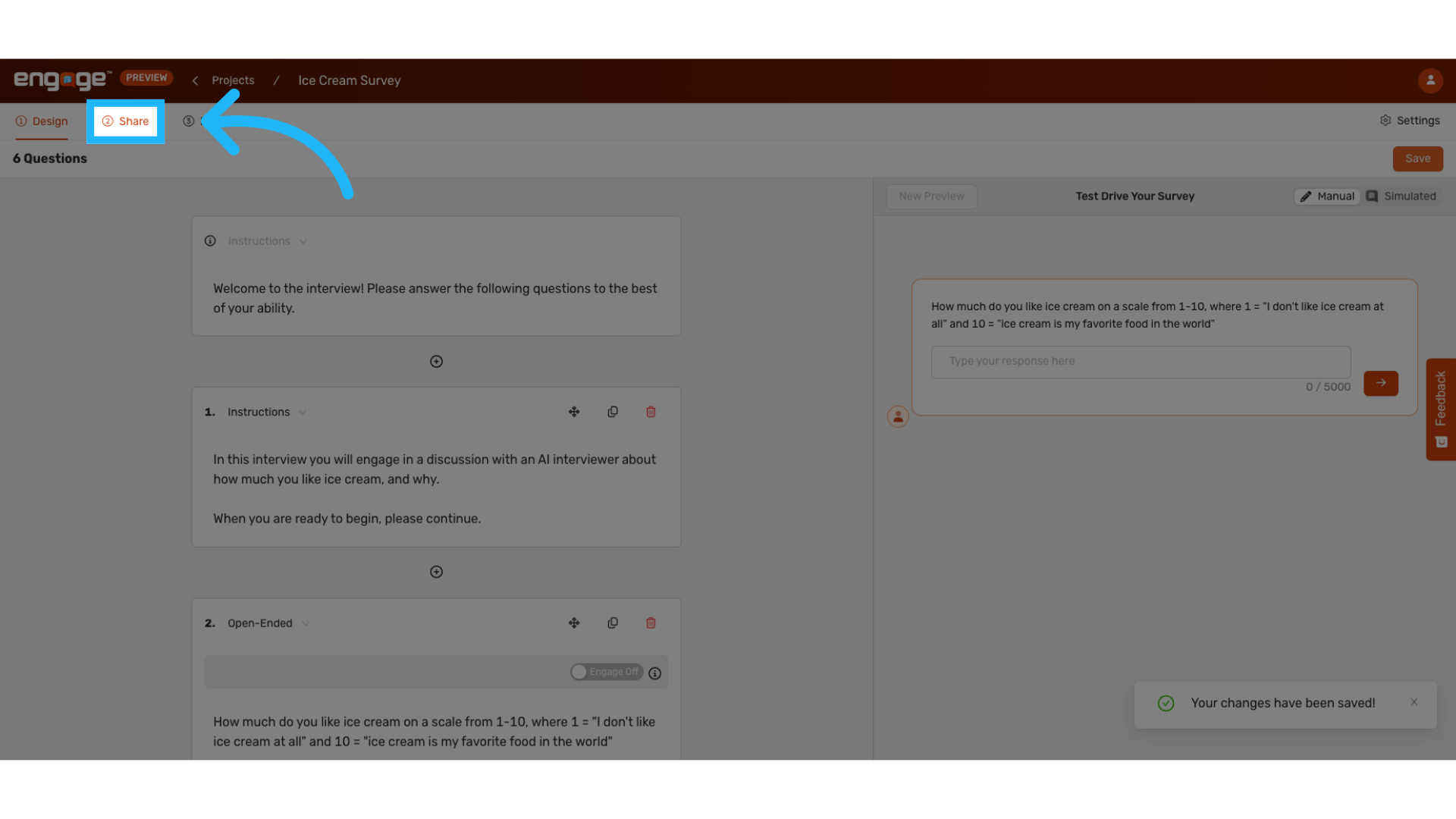
1. Select "Share"
Once your survey is complete, save it and navigate to the "share" tab.
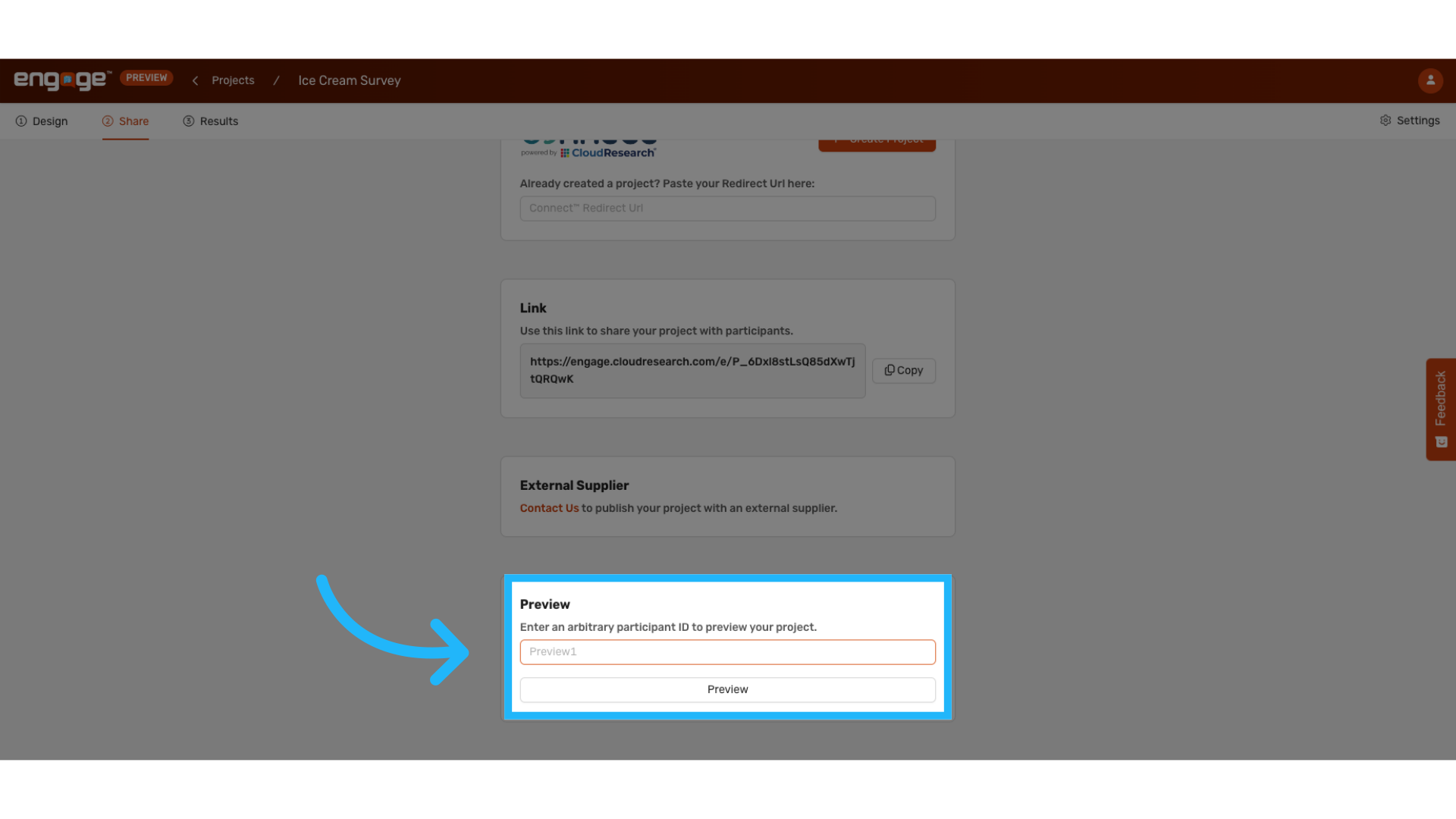
2. Preview the Project
Preview your survey in its entirety before launching it to ensure that everything looks as you like it.
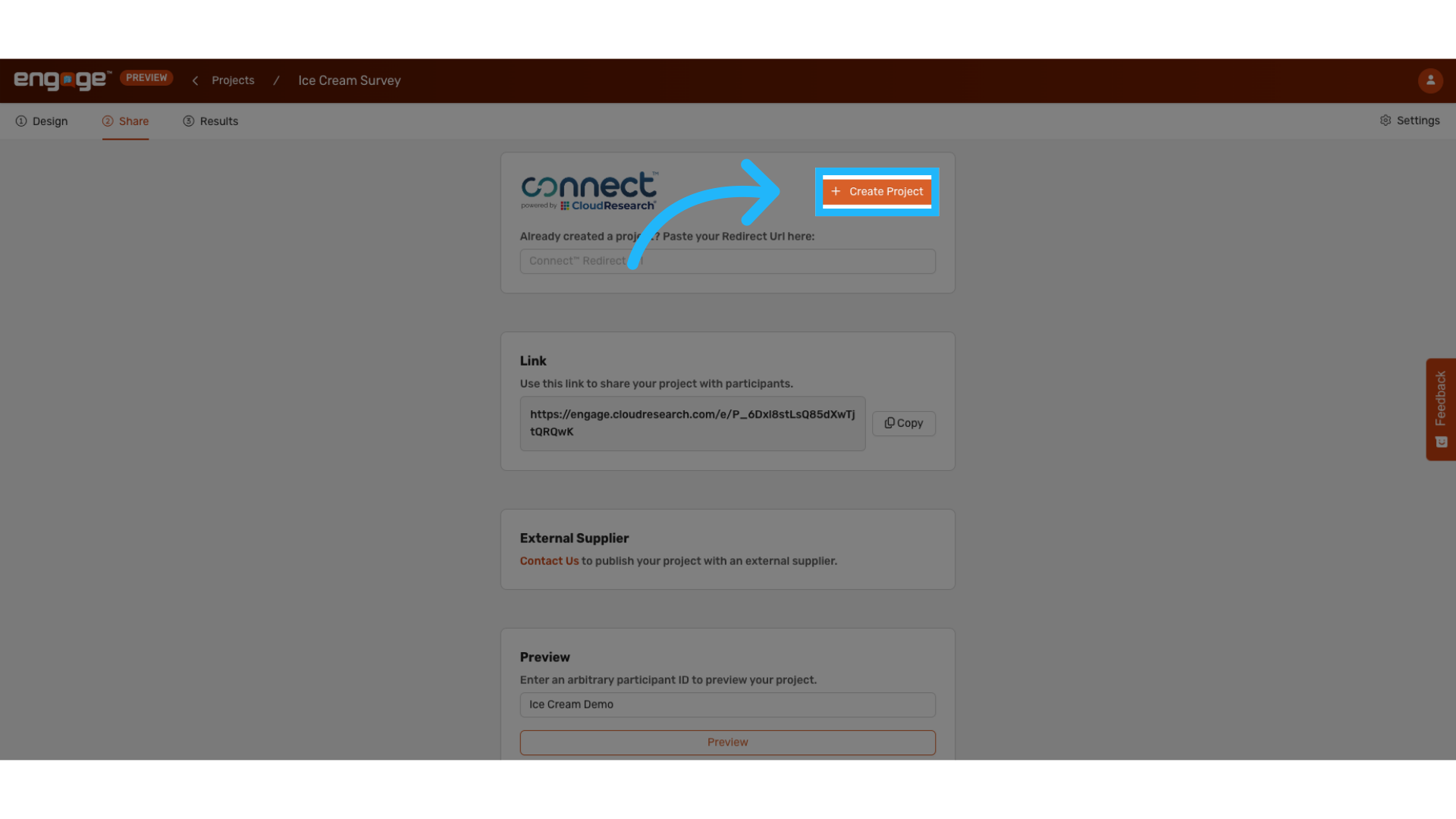
3. Create a Project in Connect
Select "Create Project".
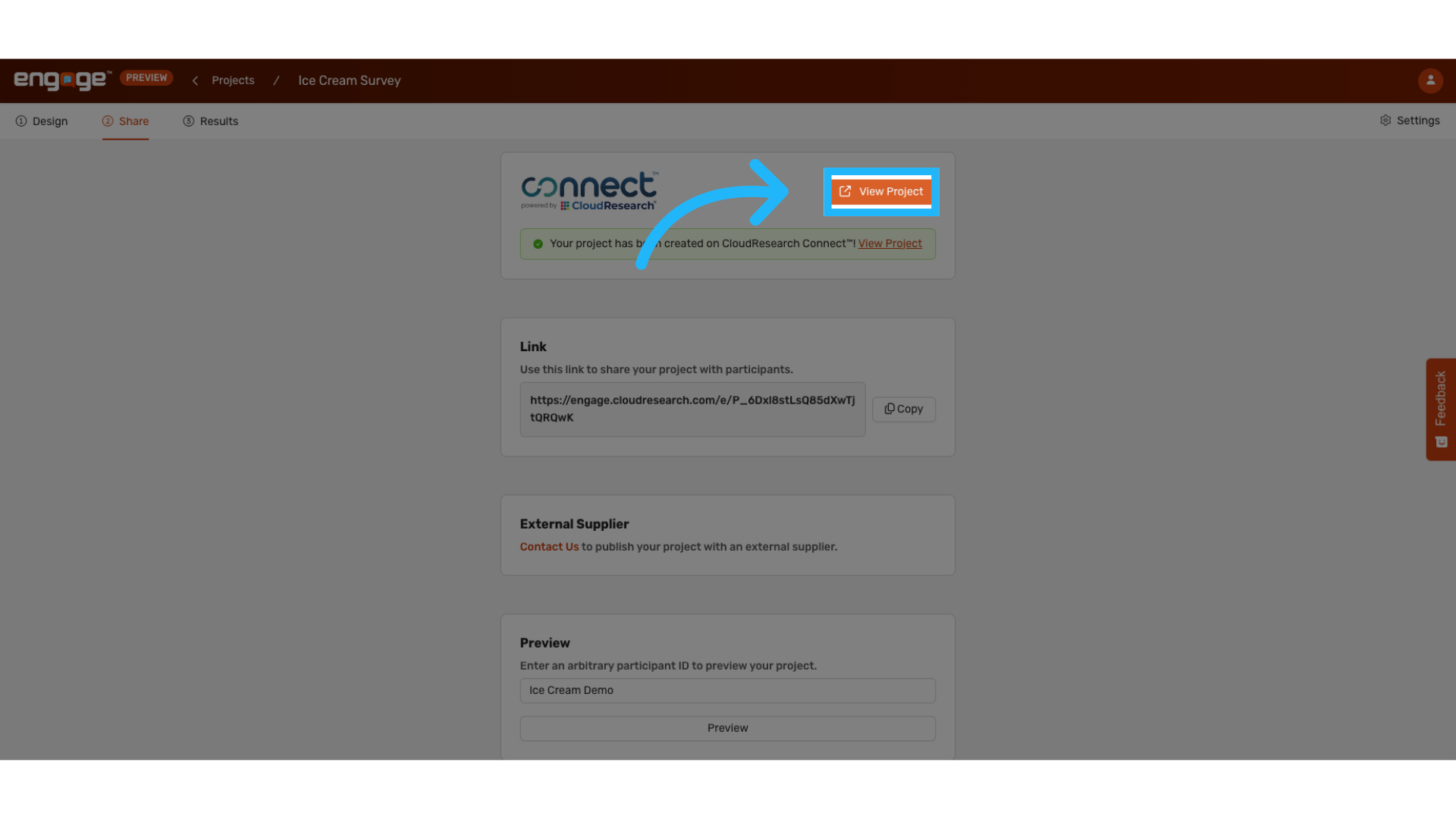
4. View Project in Connect
The project is now configured, and no additional URL setup is required. View project in Connect to edit Connect settings and launch the project when ready.
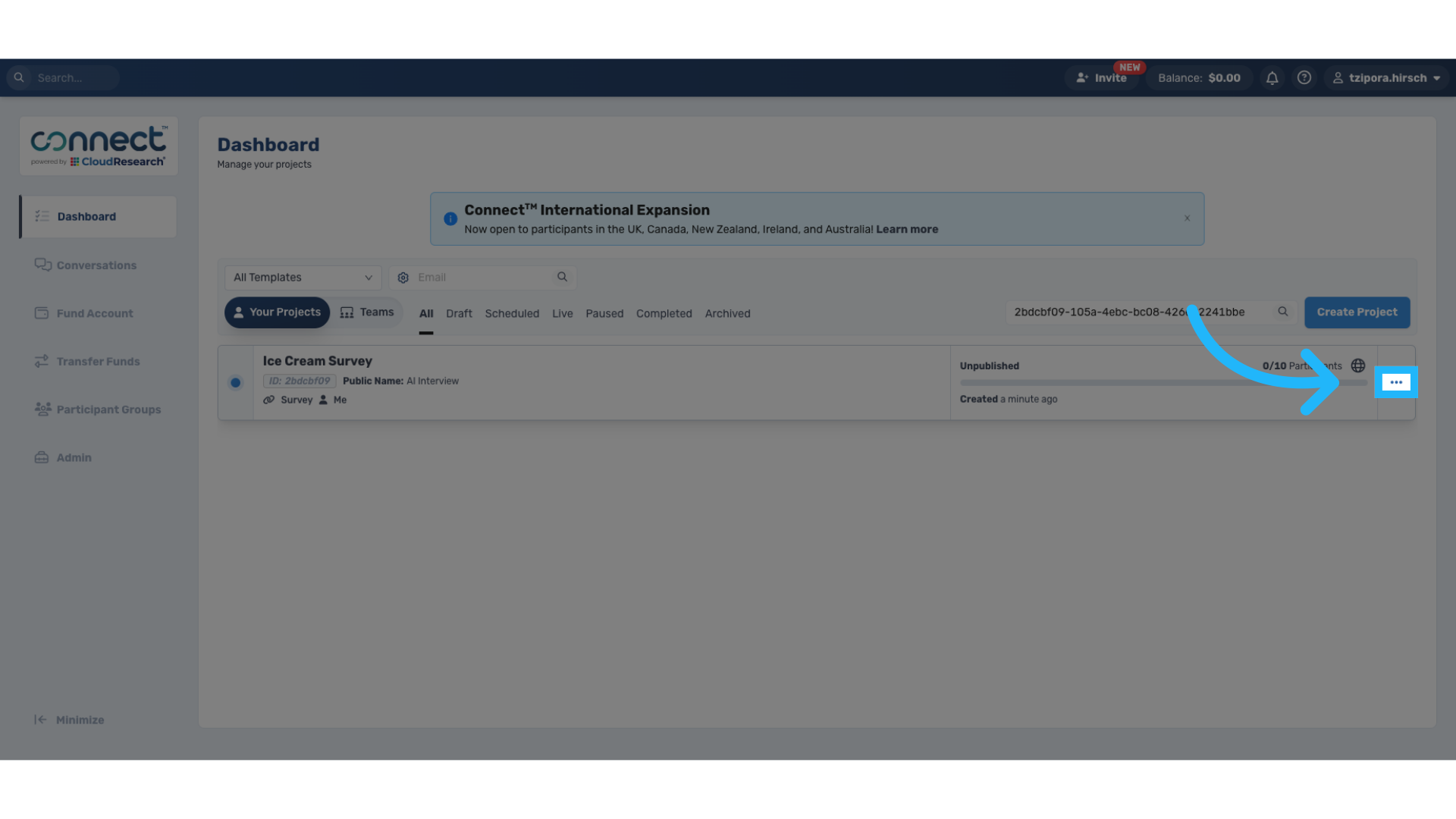
5. Navigate to Option Bar
To edit your project, navigate to the options bar.
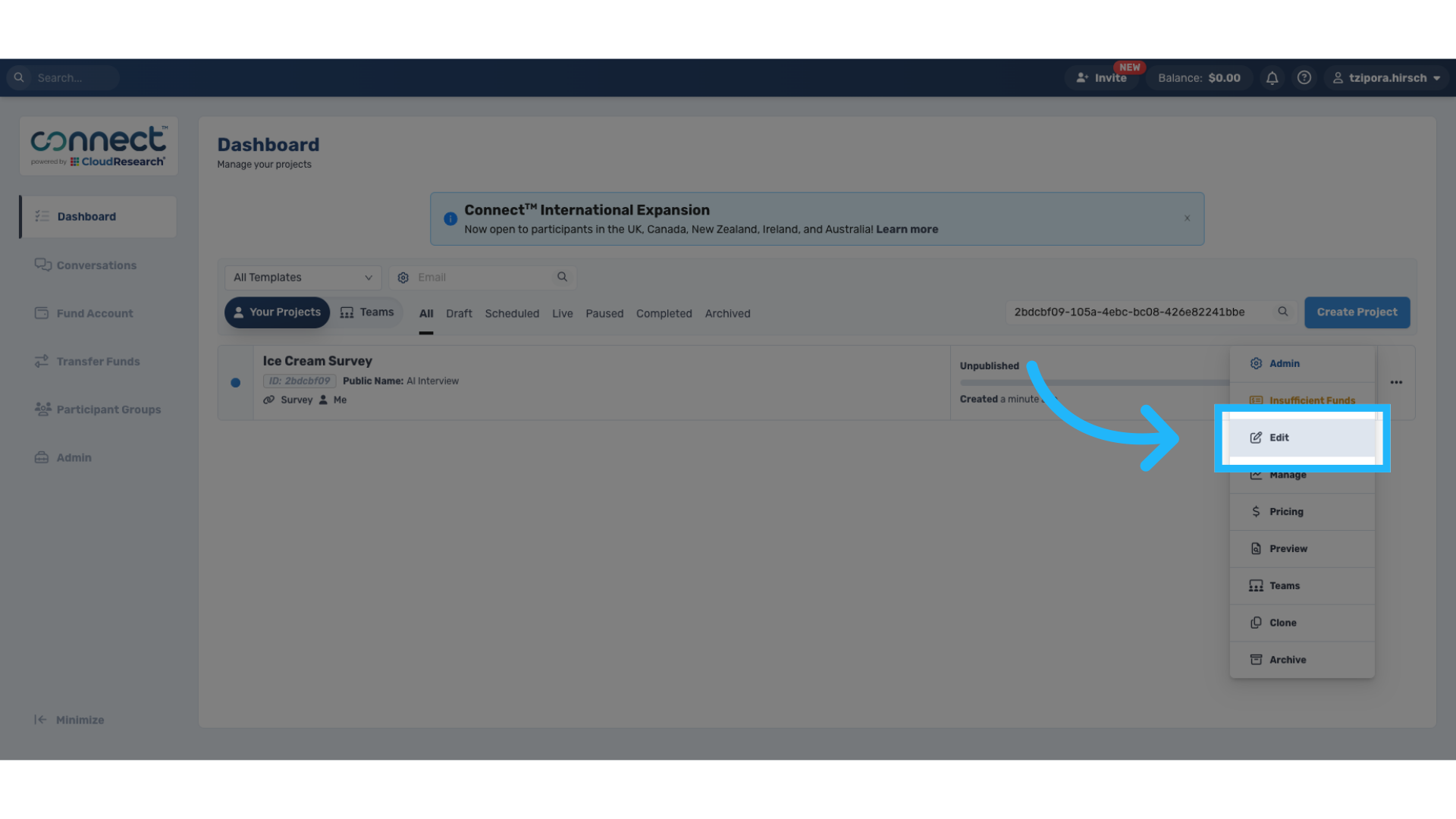
6. Select Edit
This will allow you to put in all the correct details, just like any other connect project.
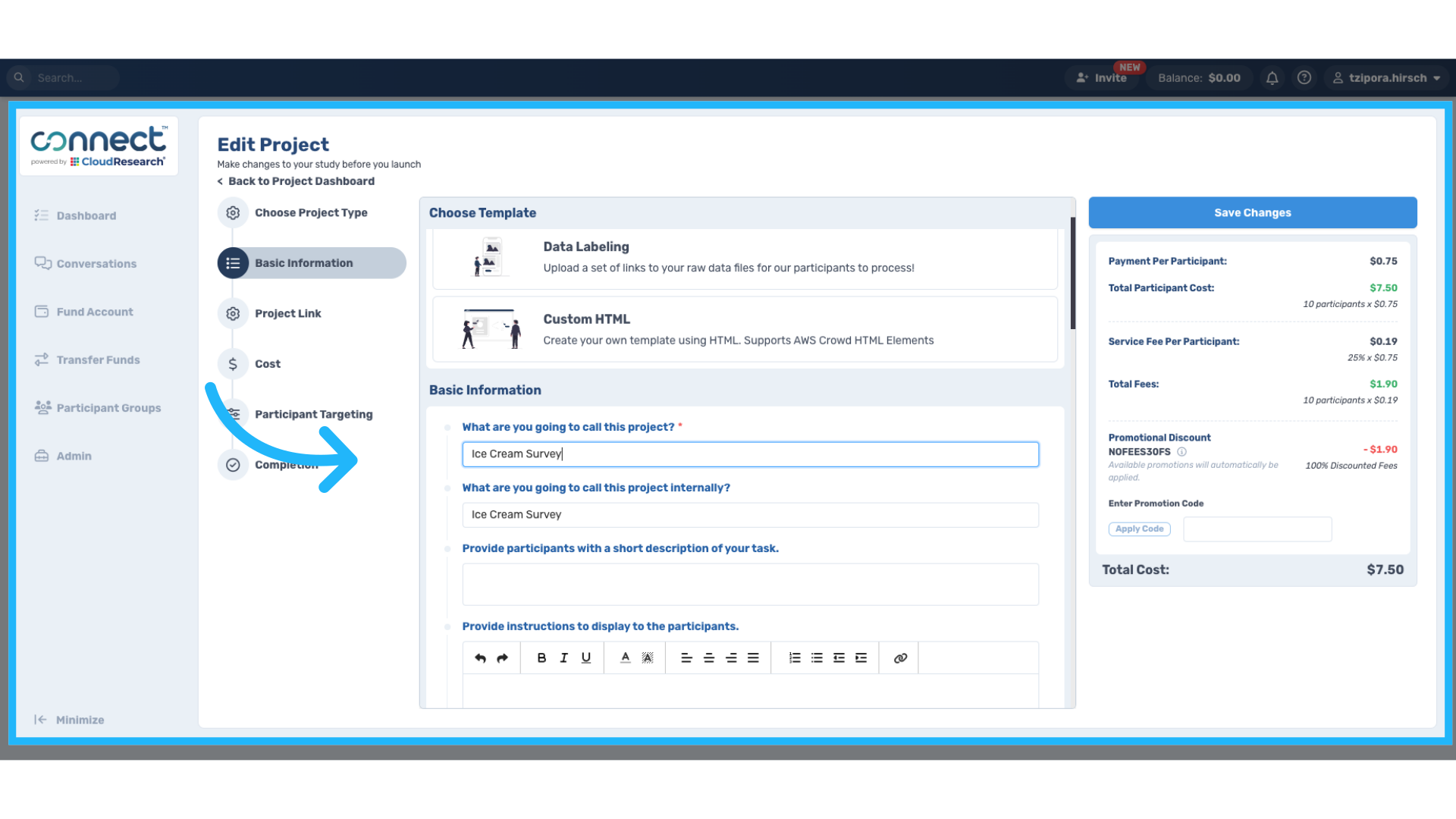
7. Edit Connect Details
This page has all of the description information for the participant. Change the fields appropriately including project name, duration, and cost information. Additionally, the redirect URL will be automatically added to your connect project.
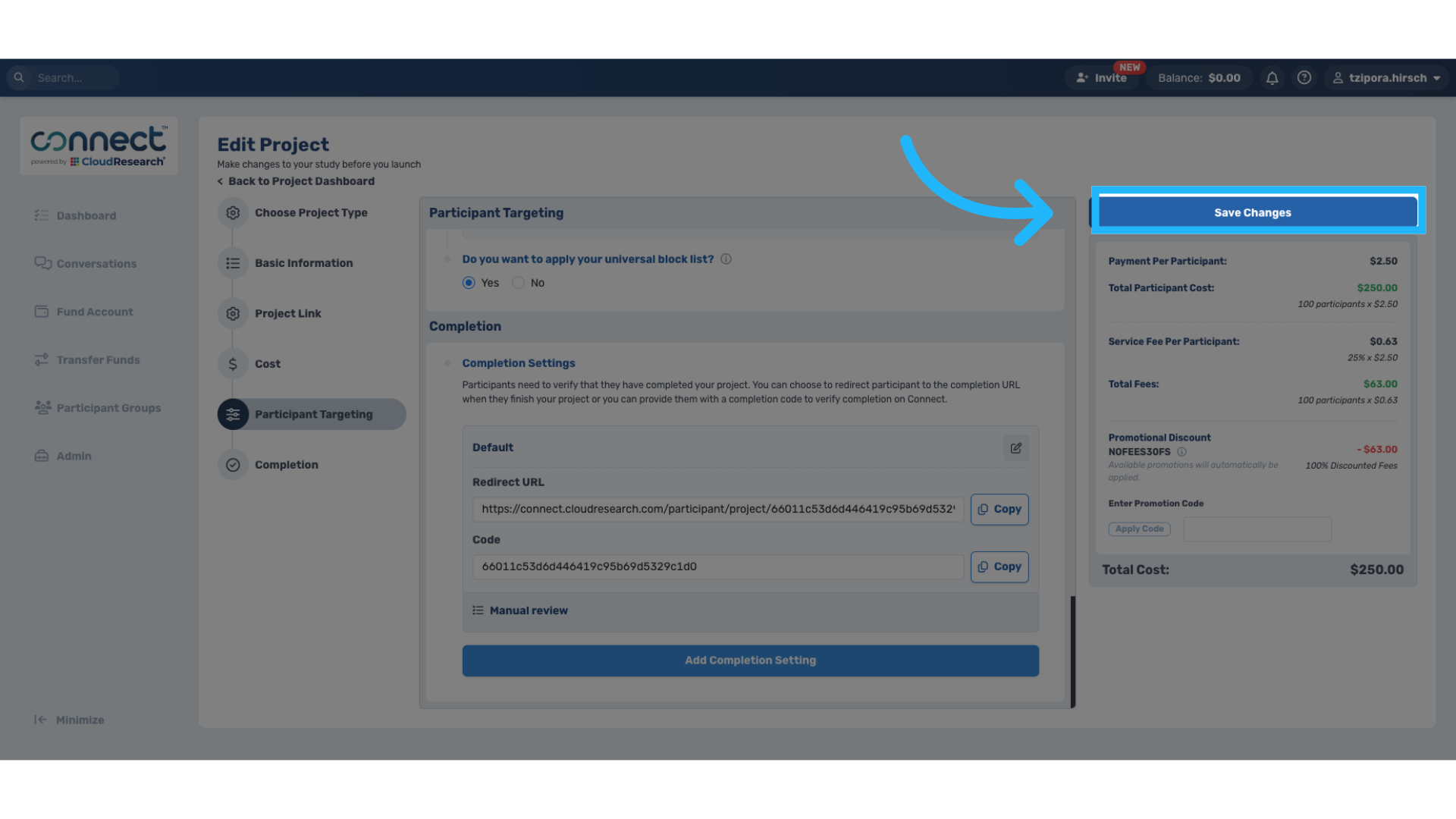
8. Save Project Changes
Once edits are complete, select "Save Changes".
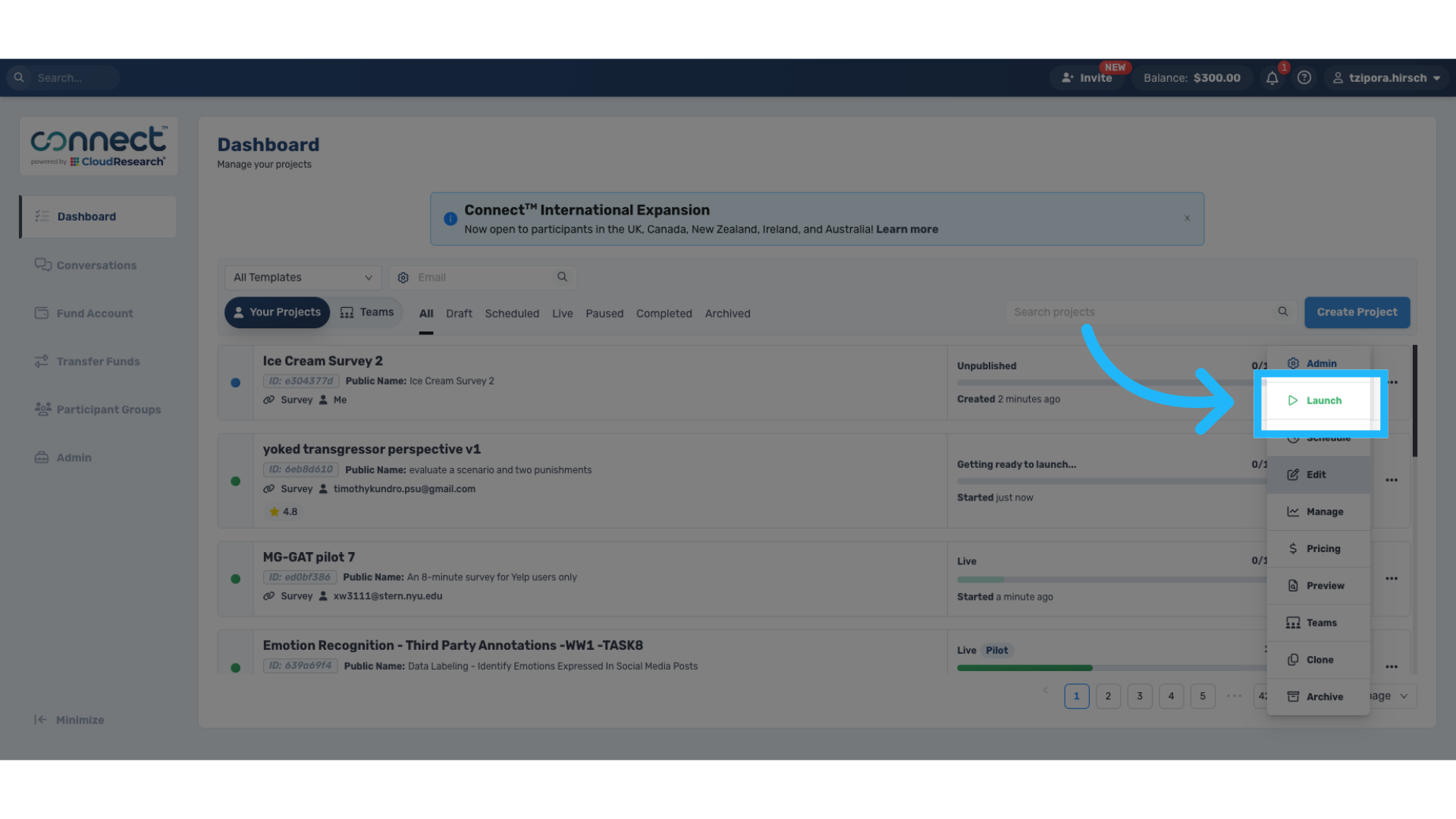
9. Launch Project
Either launch a pilot where a handful of people are selected to test if the project works well, or launch the full study.
Thank you for watching. If you have any other questions, please feel free to reach out to our support team or access our other guides.
Comments
0 comments
Please sign in to leave a comment.