
Welcome to our guide on how to test interview questions within your Engage project. This video will demonstrate the process of evaluating questions as you design your survey.
Login to Engage
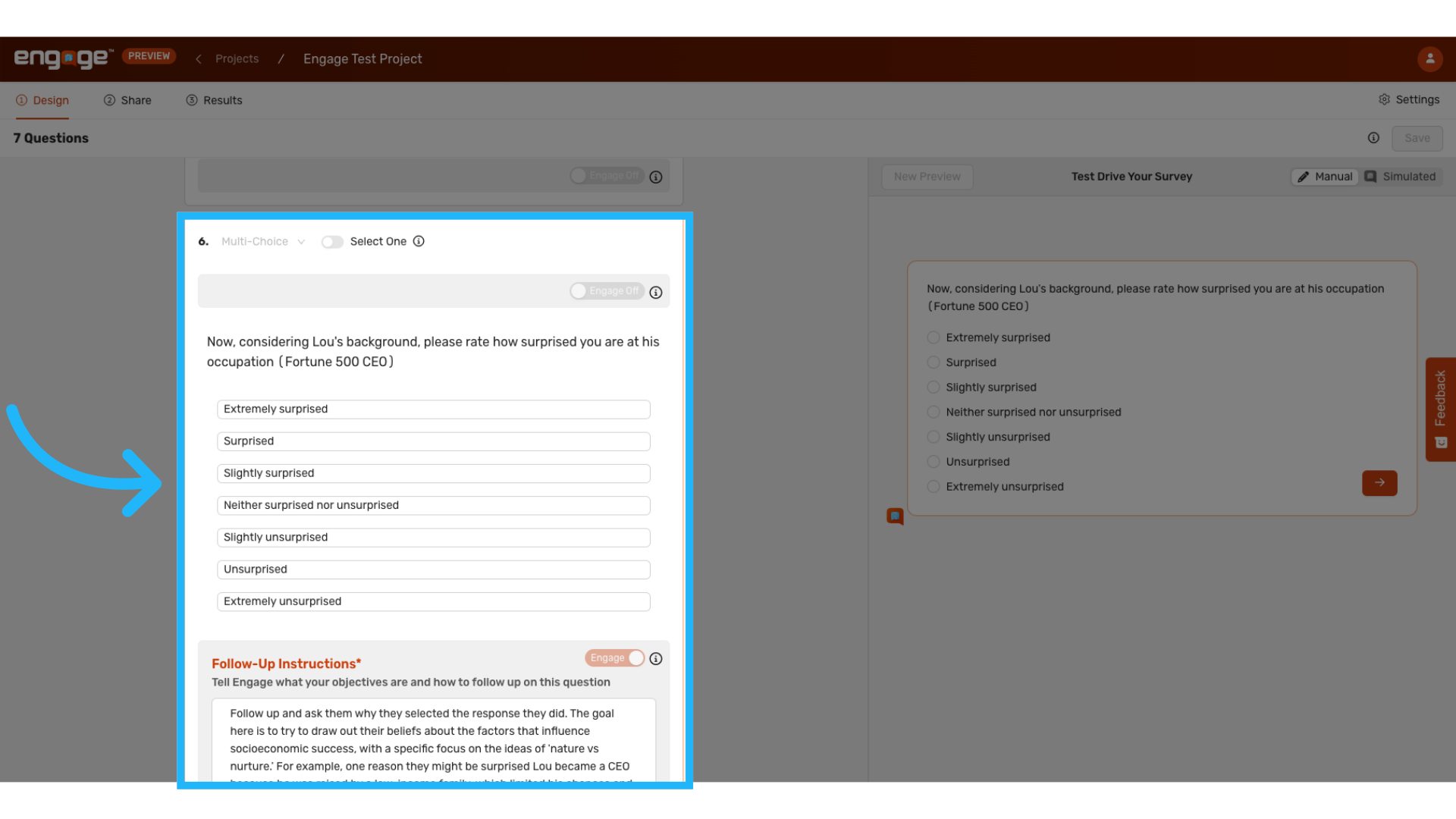
1. Select a Question
Begin by selecting the question you wish to test, to understand how it functions within the survey.
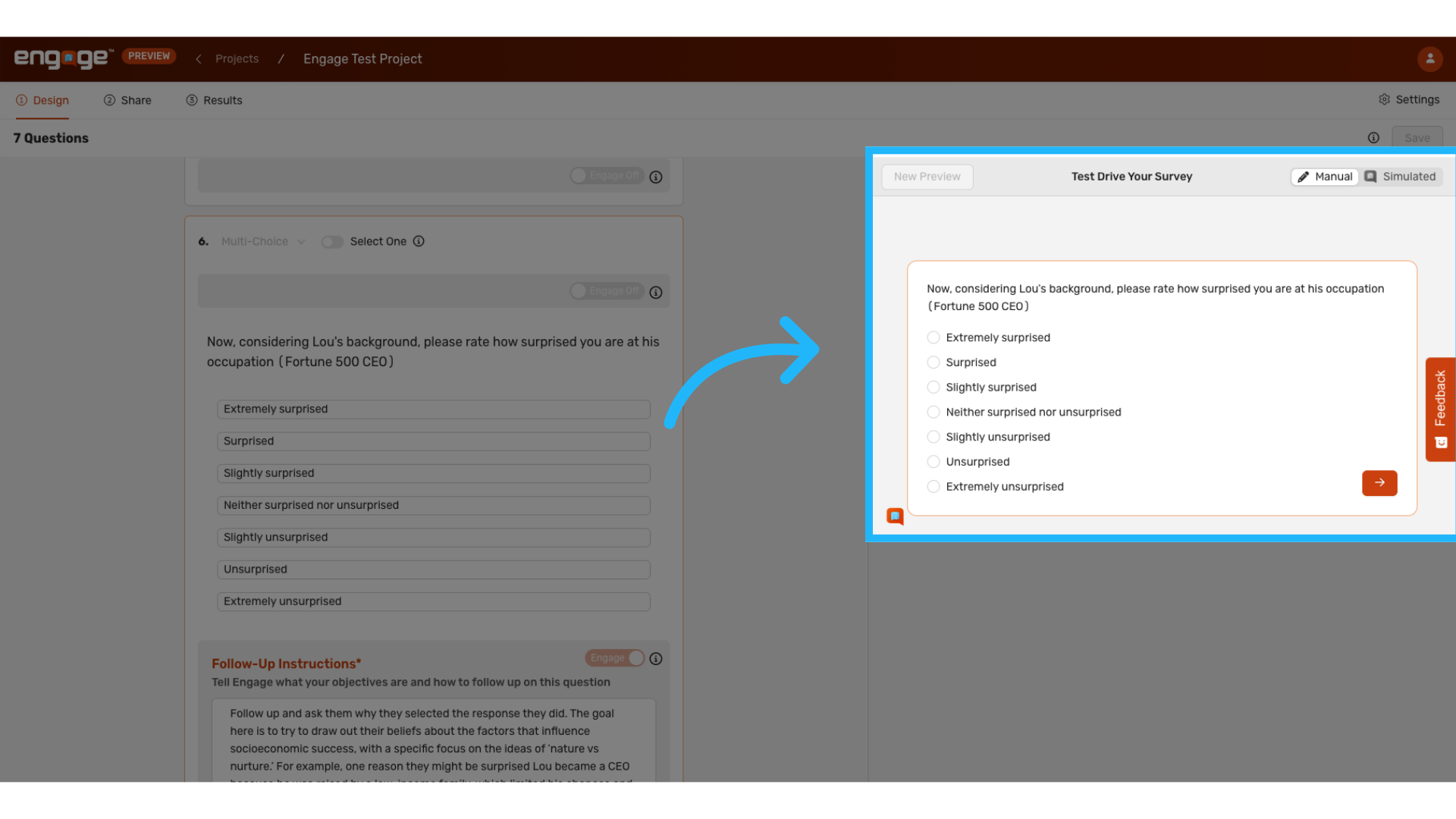
2. Test Drive Feature
Locate the test drive feature on the right-hand side of your screen.
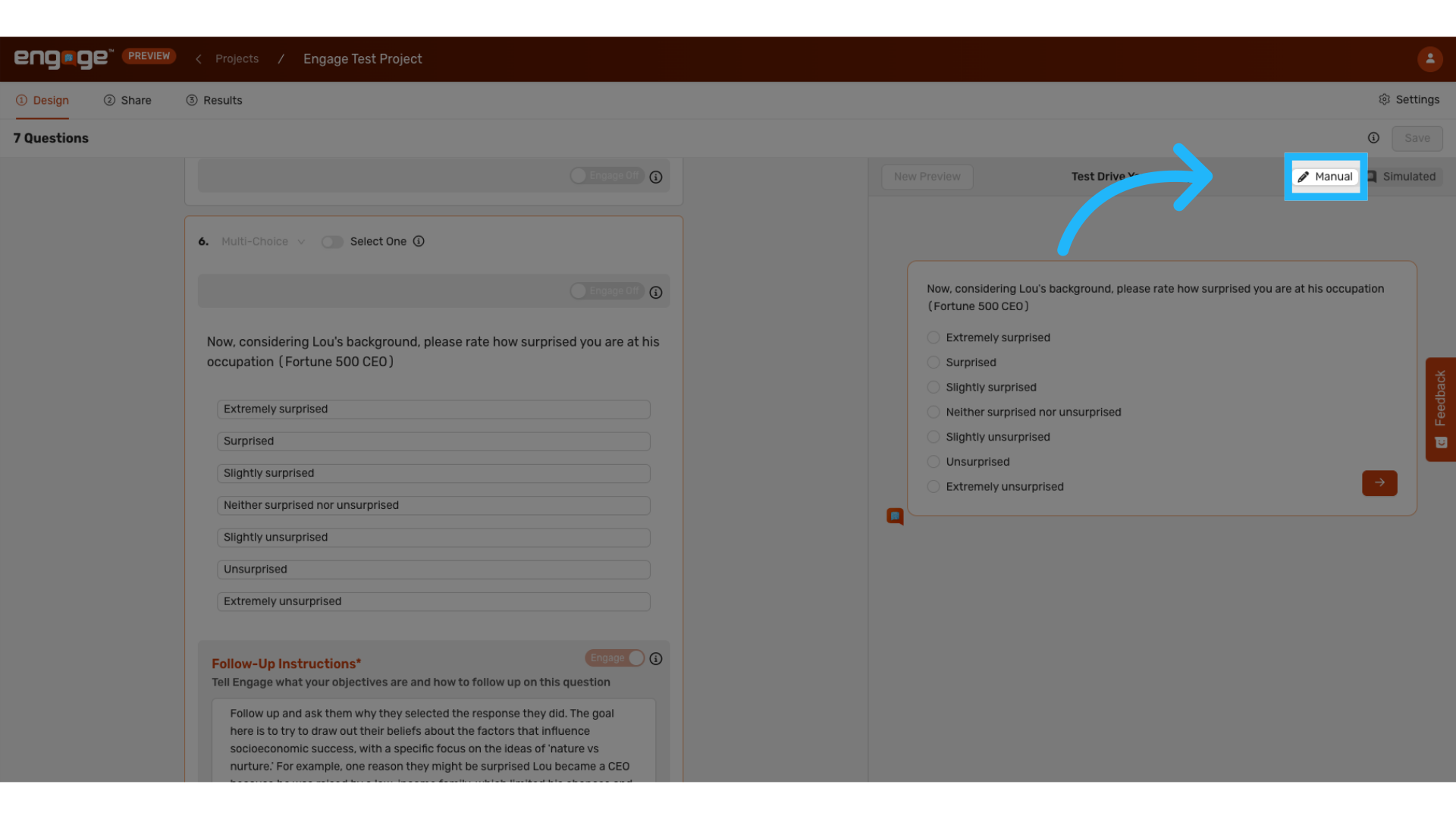
3. Select "Manual"
Opt for the manual testing option to experience the question and follow-ups as a participant would.
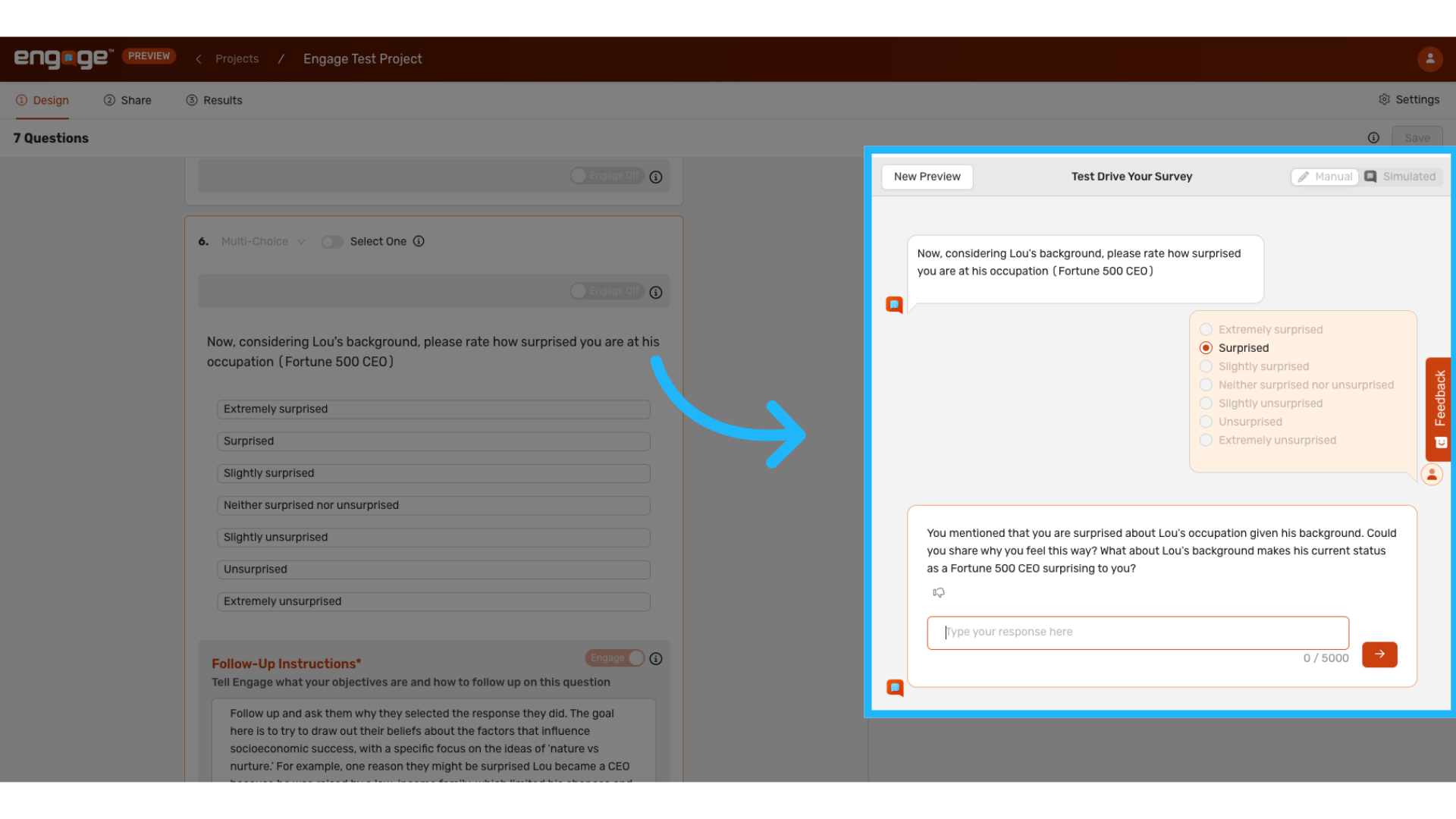
4. Manually Test
Proceed to manually answer the question, simulating participant interaction.
5. Select "Simulated"
Alternatively, choose the simulated option to view an automated response.
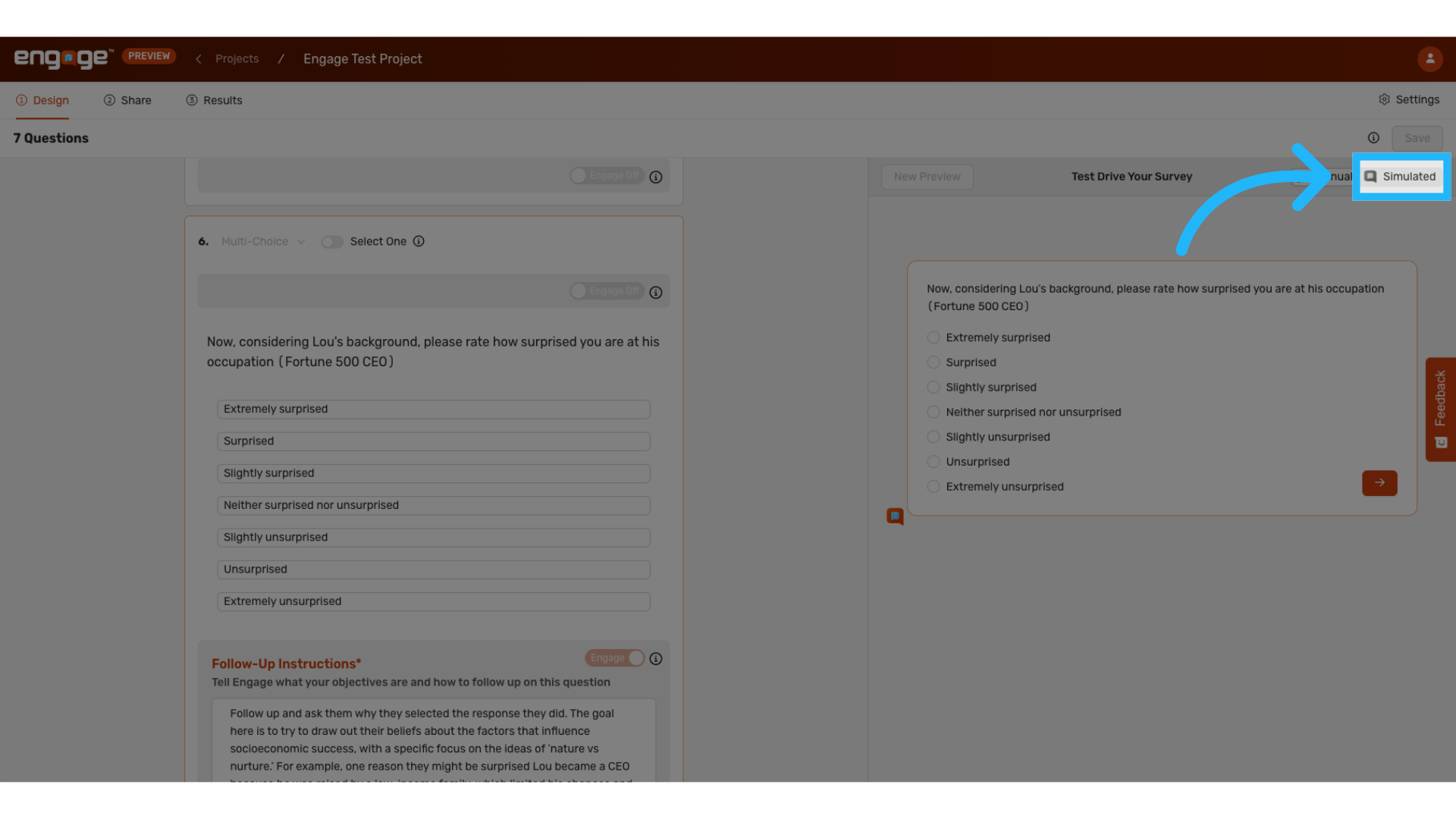
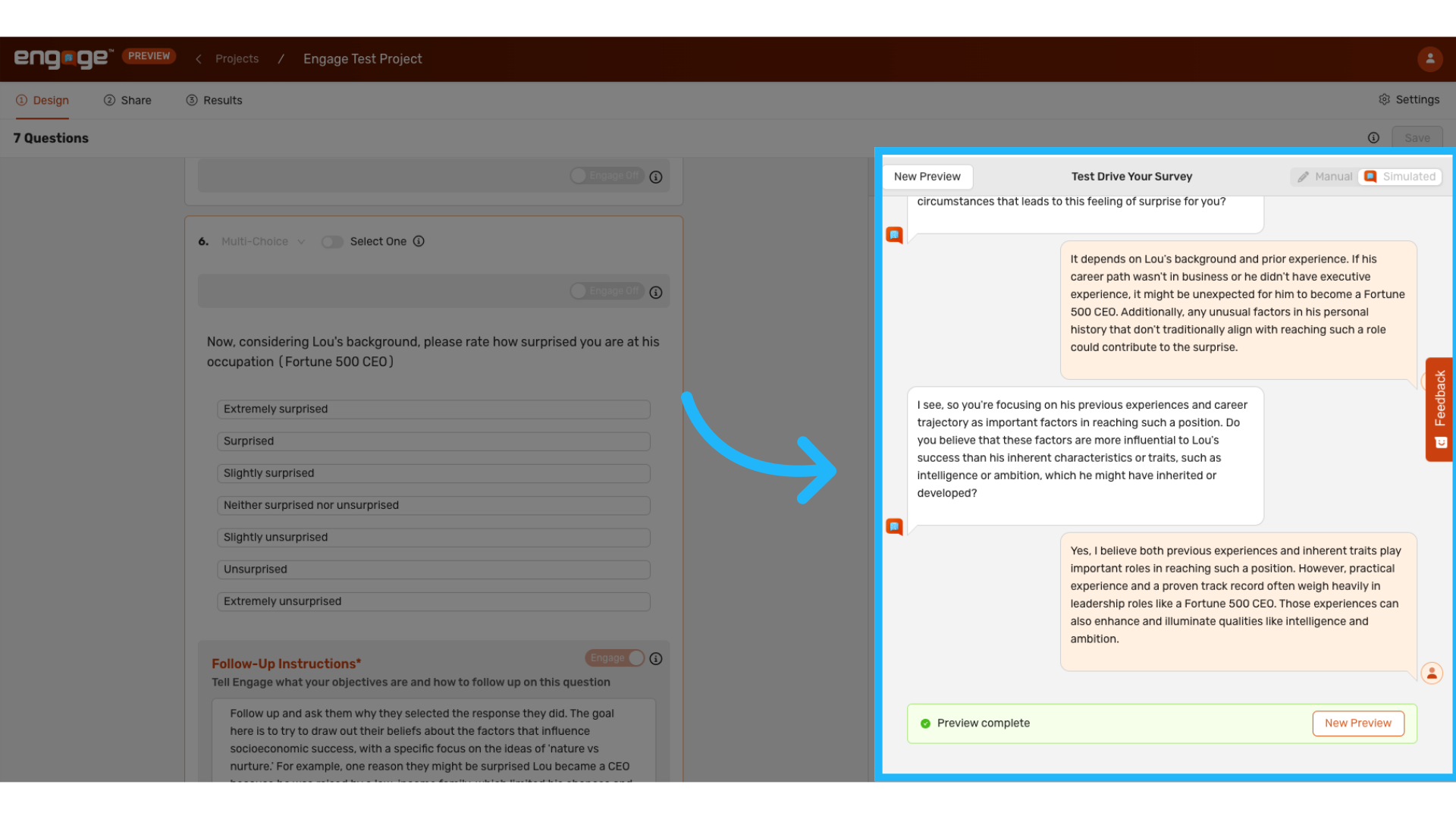
6. AI Simulated Response
Observe the AI-simulated responses to understand how the question may be perceived and answered by future participants.
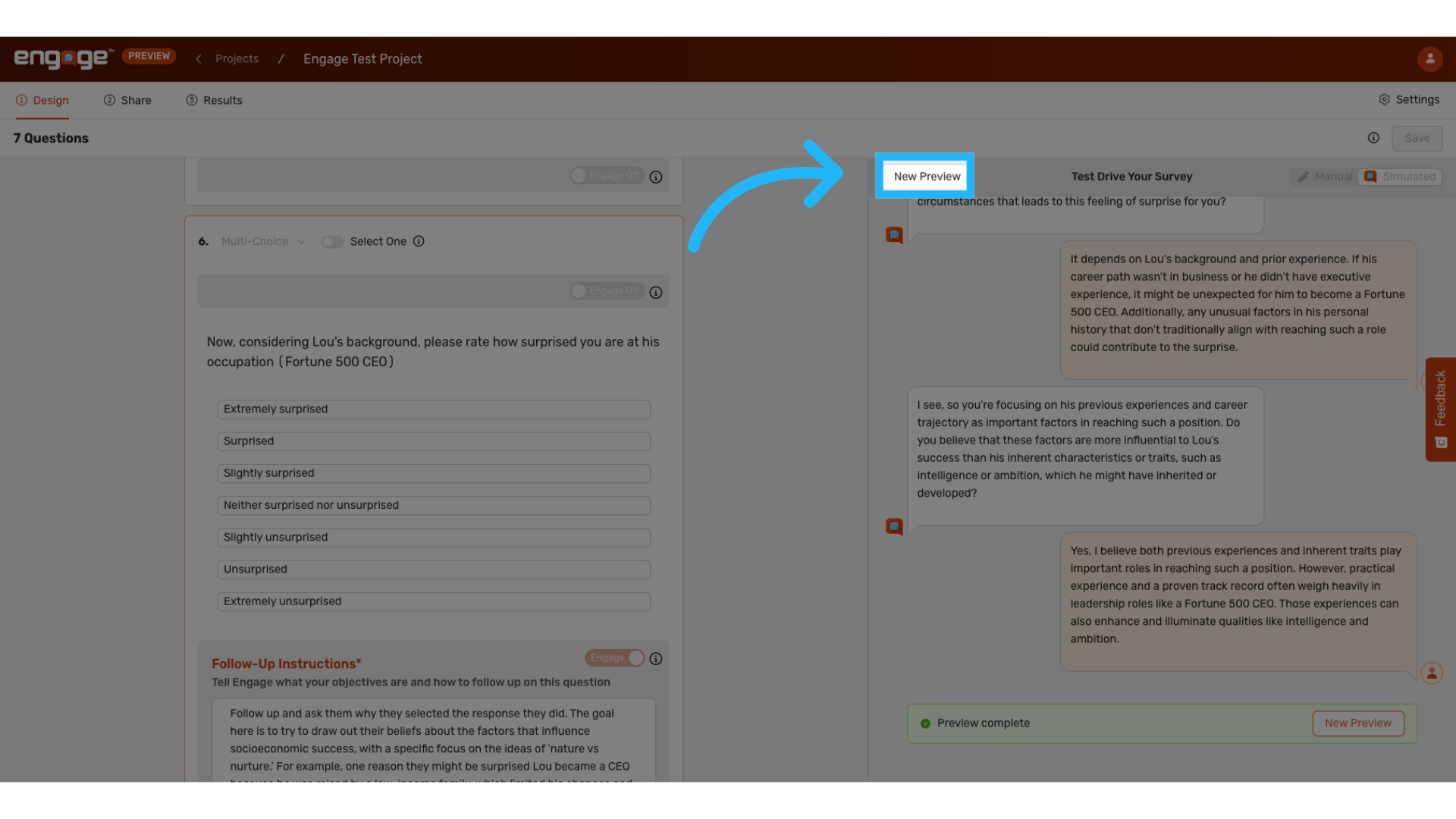
7. Start a New Preview
You may initiate a new preview at any stage during the test to evaluate different aspects of the question's performance.
Thank you for reviewing this guide. If you have any further questions or require additional assistance, please contact our support team or explore our other resources.
Comments
0 comments
Please sign in to leave a comment.