
Welcome to the guide on incorporating pre-instructions in your Engage survey. This video tutorial will demonstrate how to effectively utilize pre-instructions across various scenarios within your survey.
Login to Engage
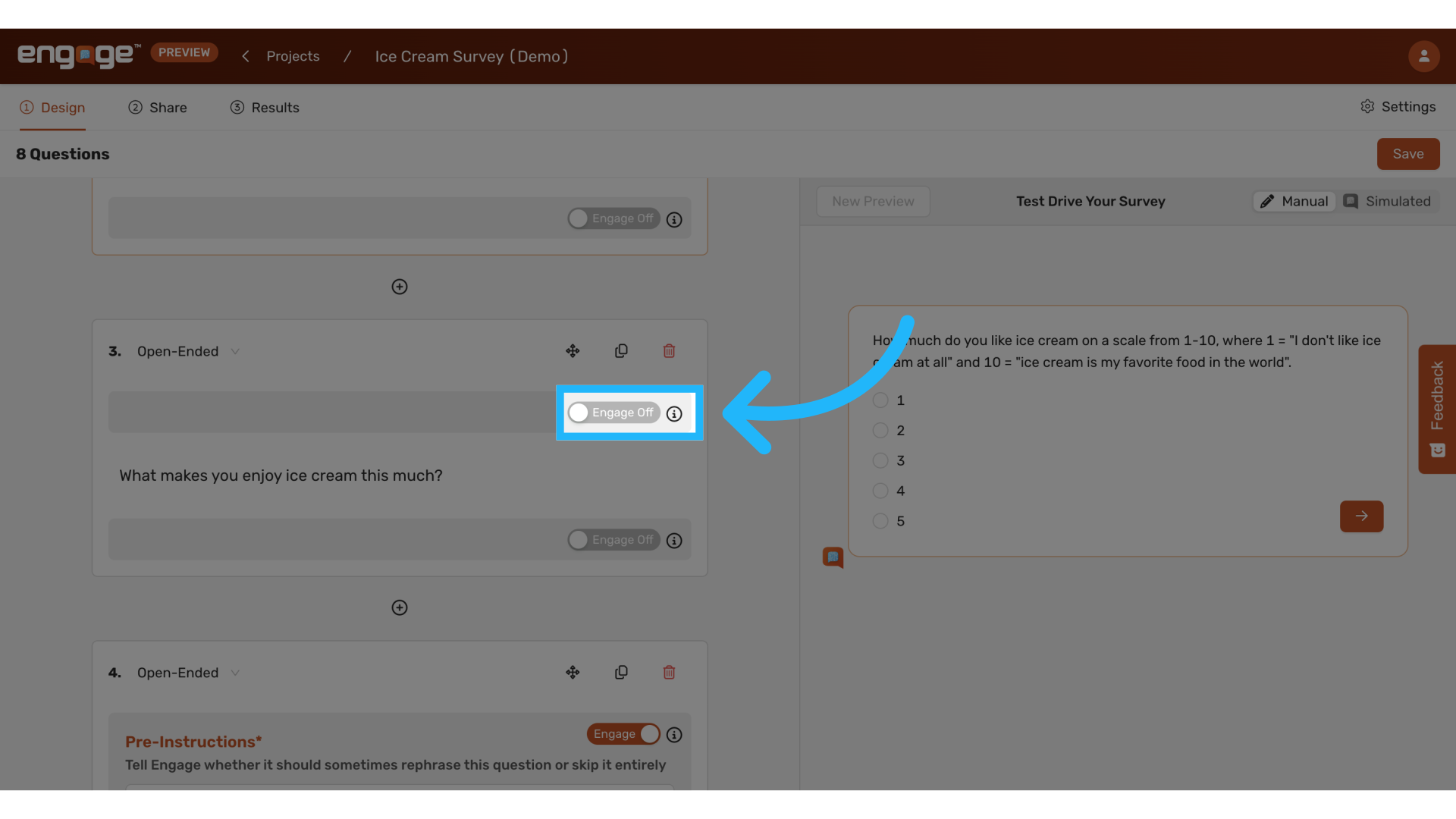
1. Enable Pre-Instructions
To begin, activate the pre-instructions feature for your question.
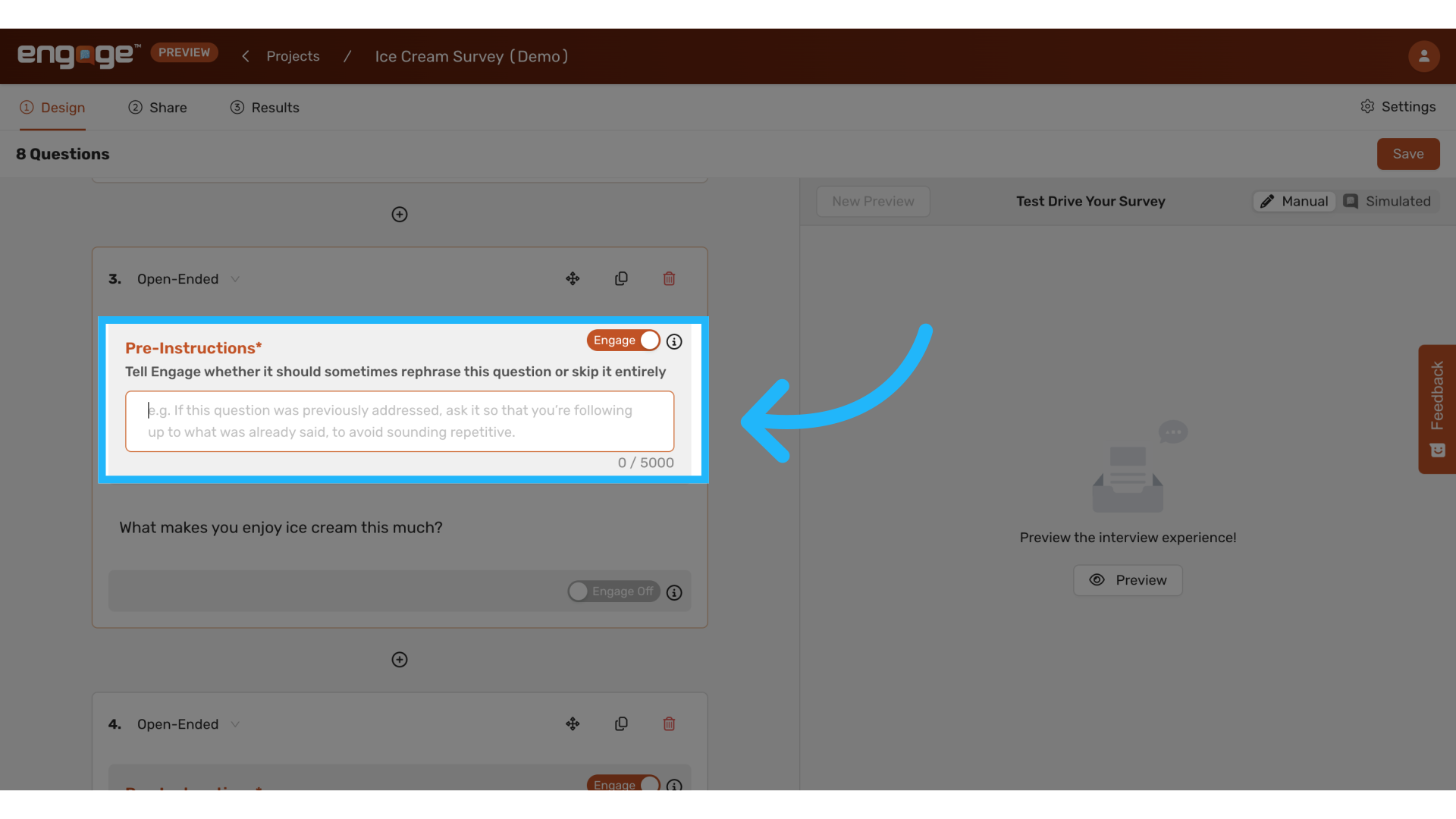
2. Input Pre-Instructions
Input the pre-instructions to guide the AI on how to structure the upcoming question.
Common Use Cases
Typical applications include rephrasing or skipping questions.
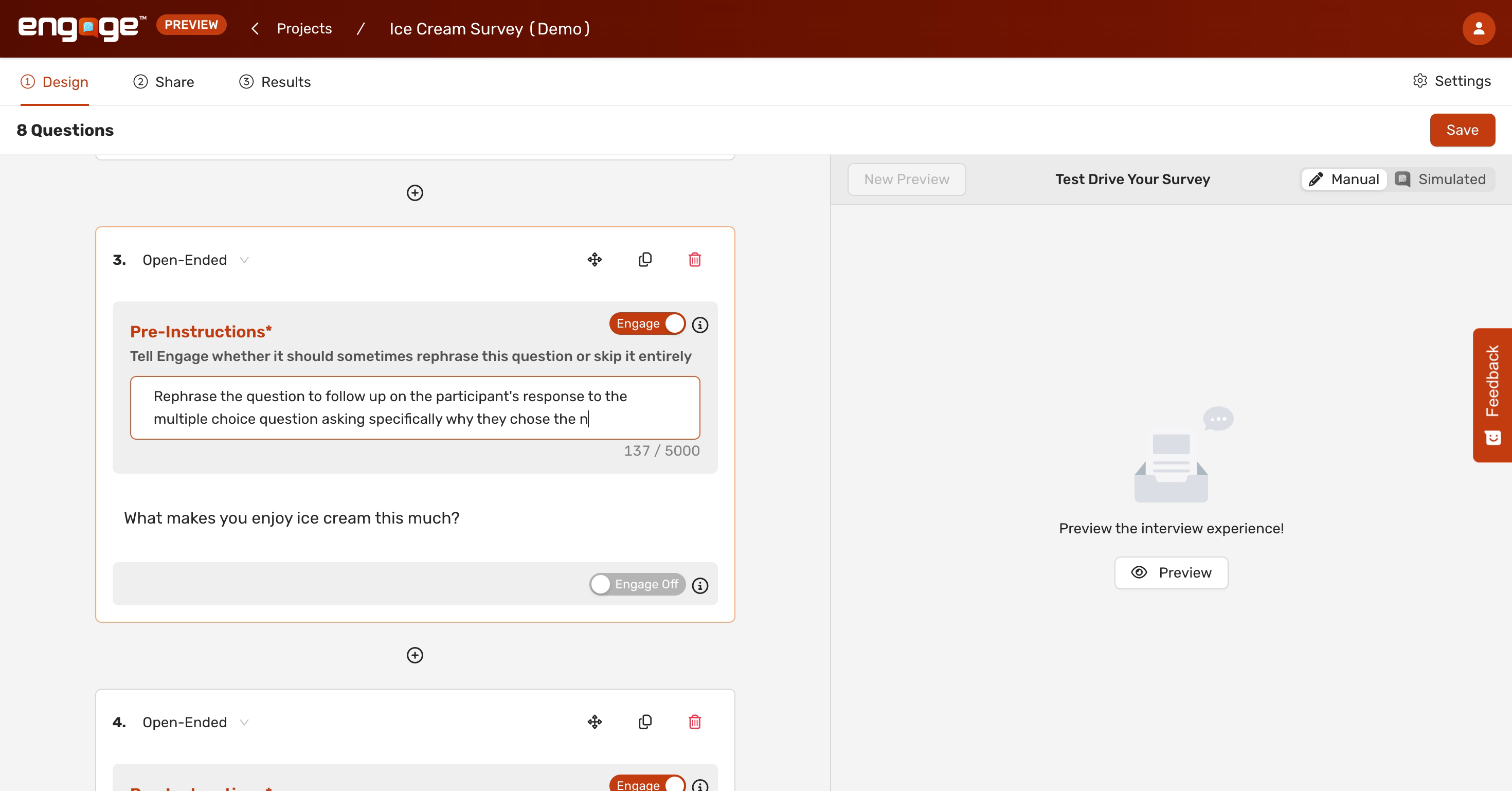
a. Rephrase to follow up on past responses
- Adjust the phrasing of questions to align with the context provided by participants’ previous answers.
Example: Rephrase for Detailed Follow-Up
- "Rephrase the question to follow up on the participant's response to the multiple choice question asking specifically why they chose the number that they did."
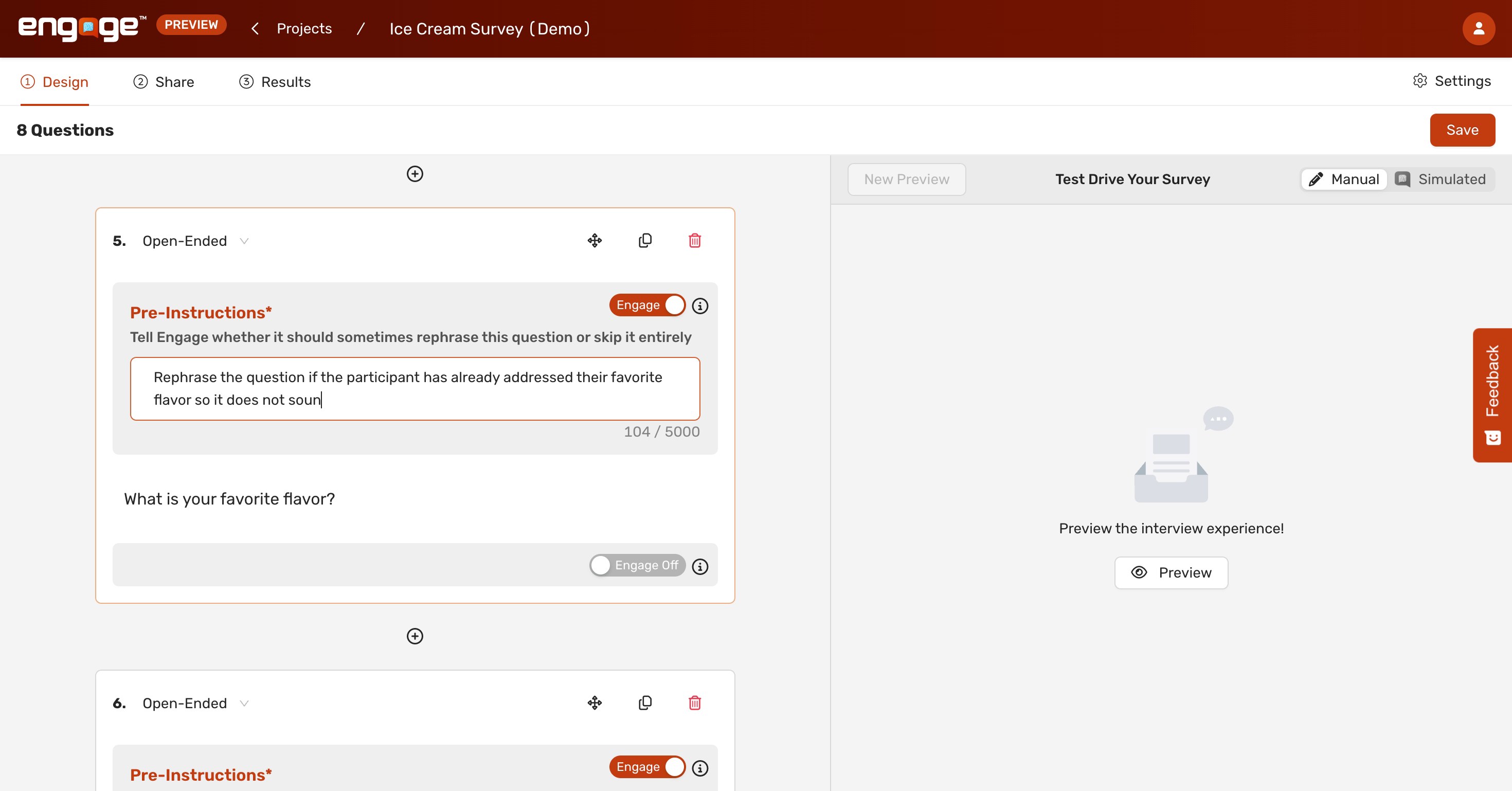
b. Rephrase to avoid Repetition
- Modify questions to prevent redundancy if the participant has already covered aspects of a question in their previous responses.
Rephrase Example
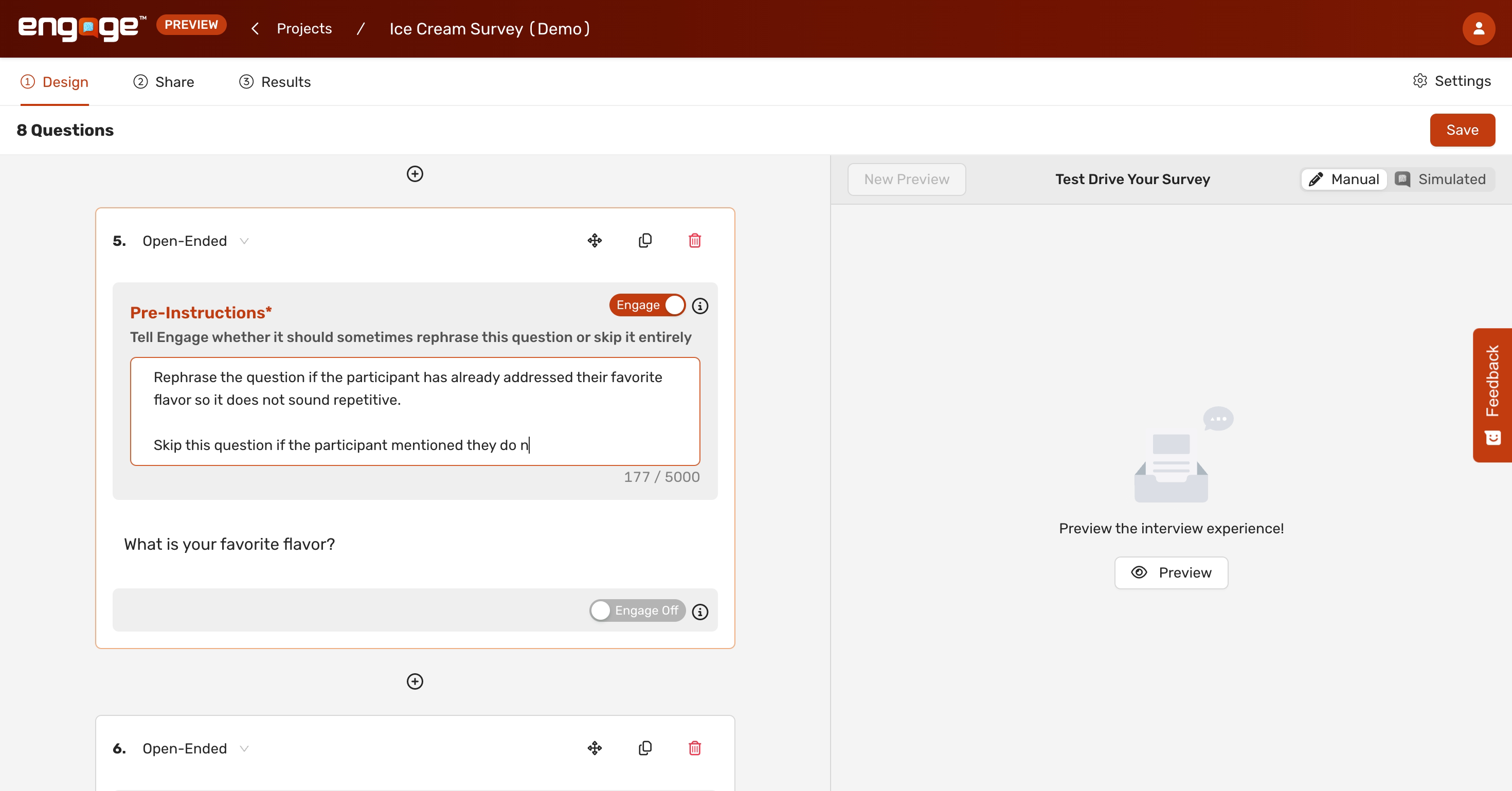
- "Rephrase the question if the participant has already addressed their favorite flavor so it does not sound repetitive."
c. Skip
- You can instruct AI to skip the question based on specific criteria.
Skip Example:
- When asking the participant for their favorite flavor, you can use pre-instructions to skip the question if the participant mentioned they do not like ice cream in a previous response.
Summary
Rephrase:
- Rephrase the question to follow up on past responses that a participant gave.
- Rephrase if the participant has already addressed part of the question so it does not sound repetitive.
- Skip this question if [x, y, z].
Thank you for reviewing this guide. If you have any further questions or require additional assistance, please contact our support team or explore our other resources.
Comments
0 comments
Please sign in to leave a comment.