
Welcome to the guide on excluding participants from insights and reporting on Engage.
Login to Engage
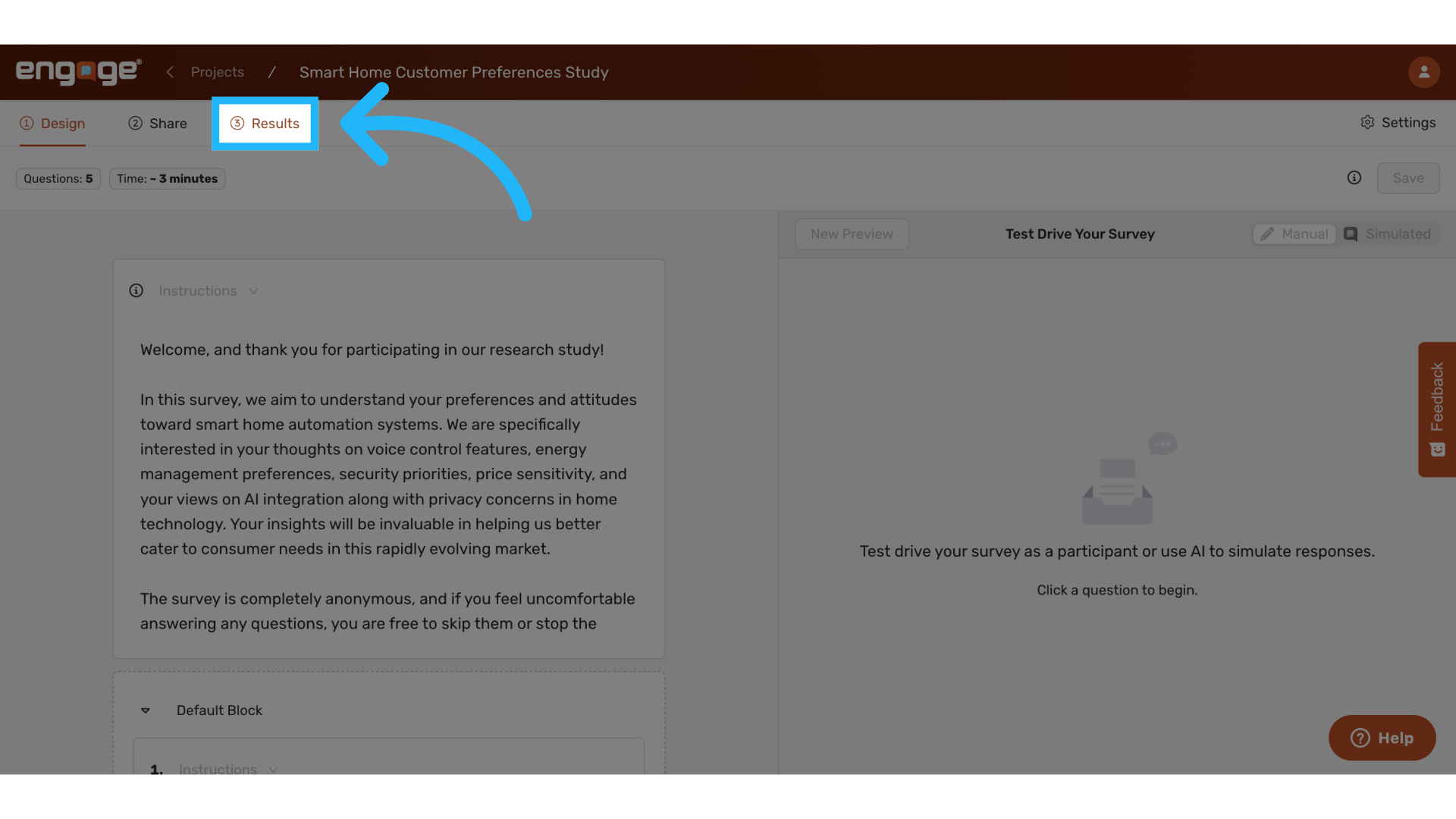
1. Locate "Results"
Navigate to the "Results" tab.
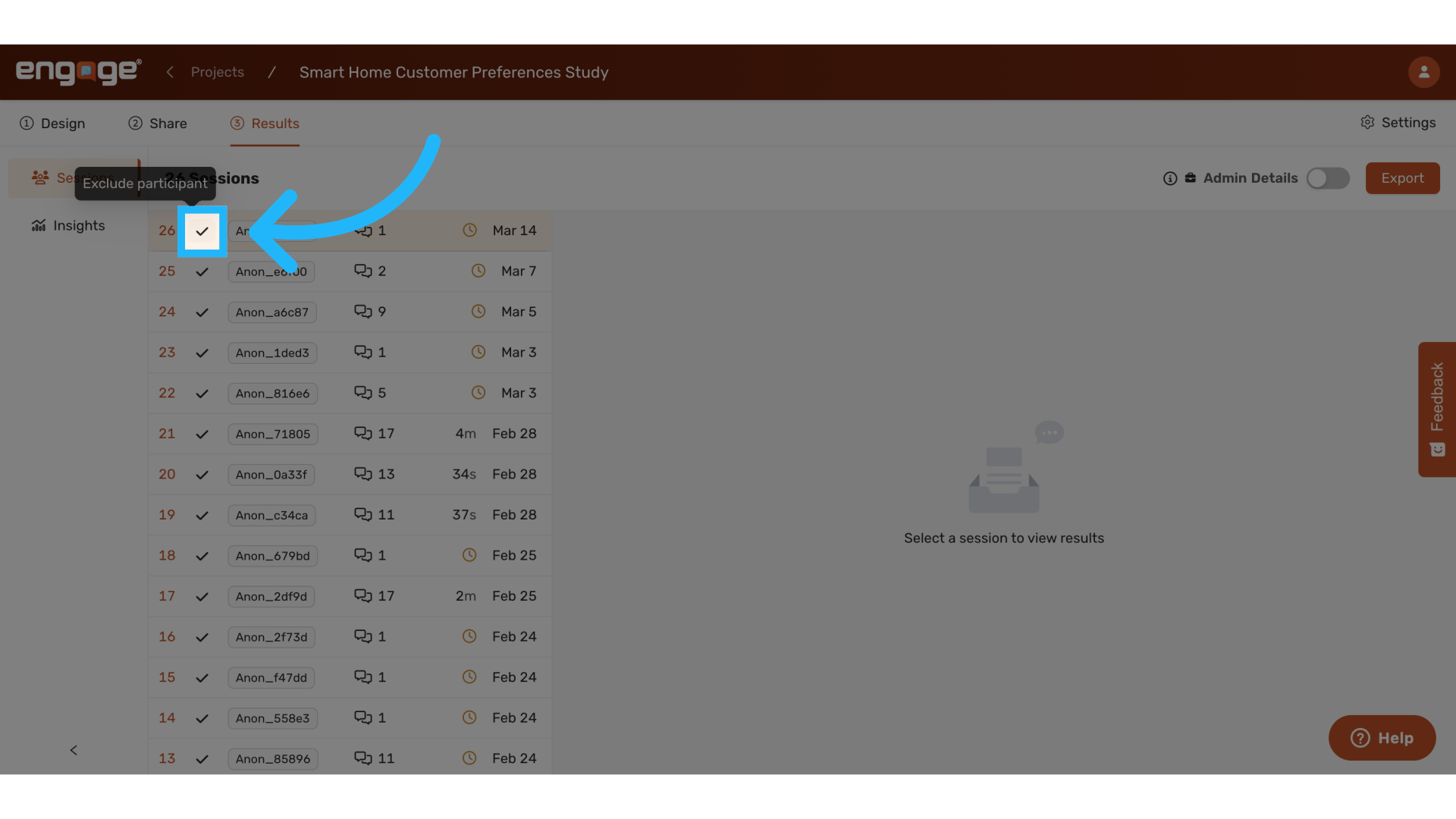
2. Exclude Participant
Select the checkmark to exclude a participant's session from insights and reporting.
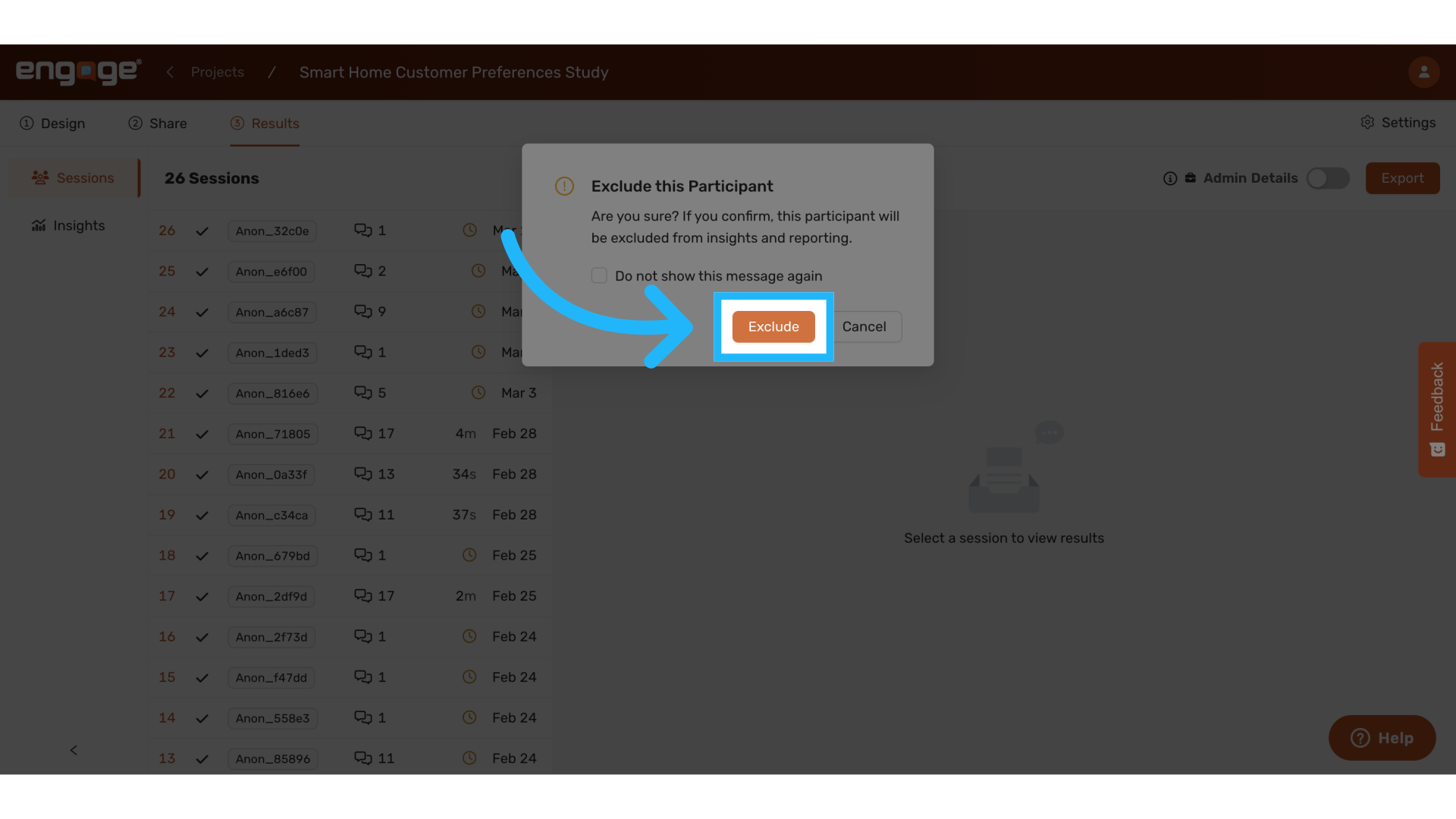
3. Confirm "Exclude"
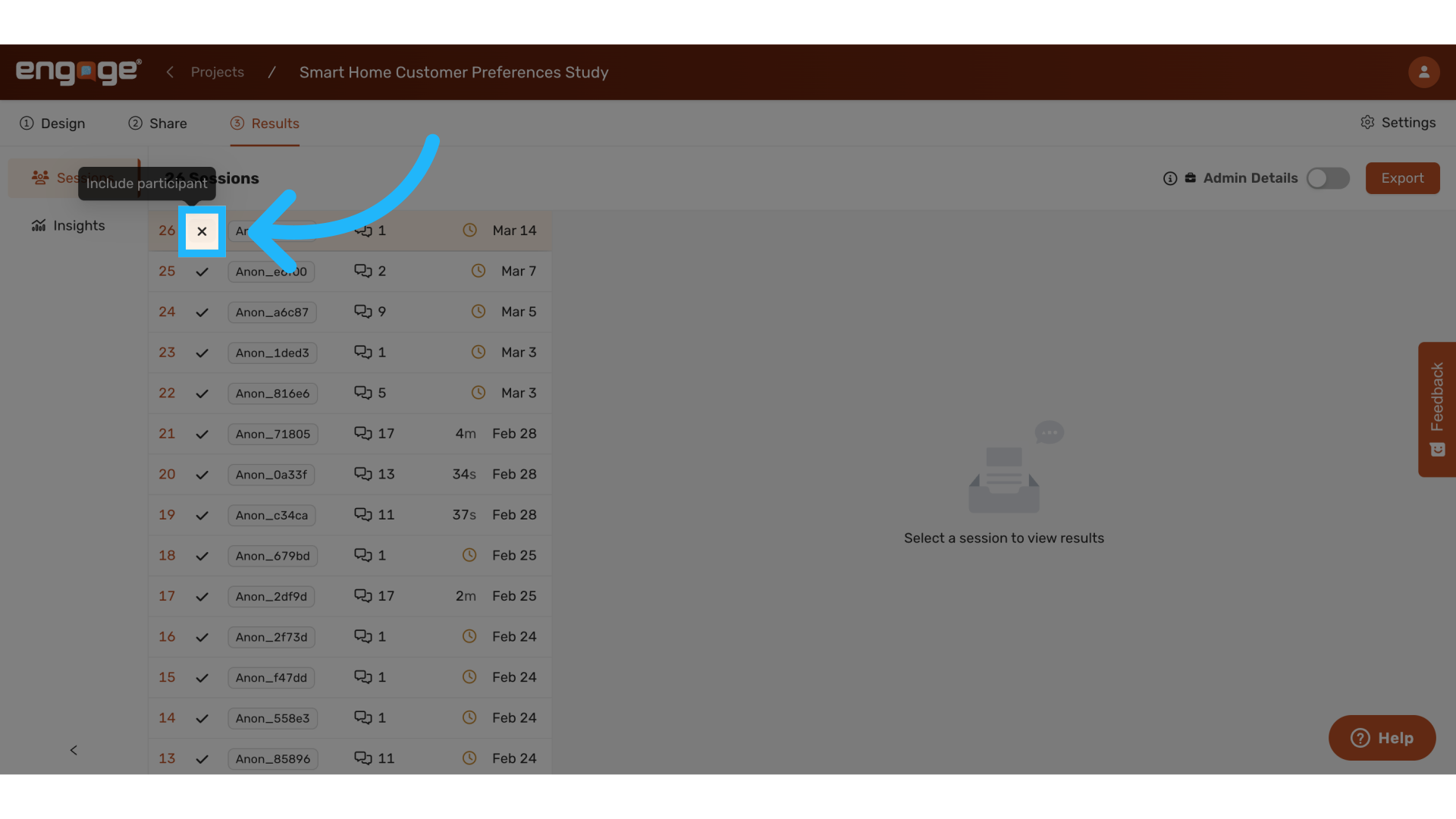
4. Include Participant
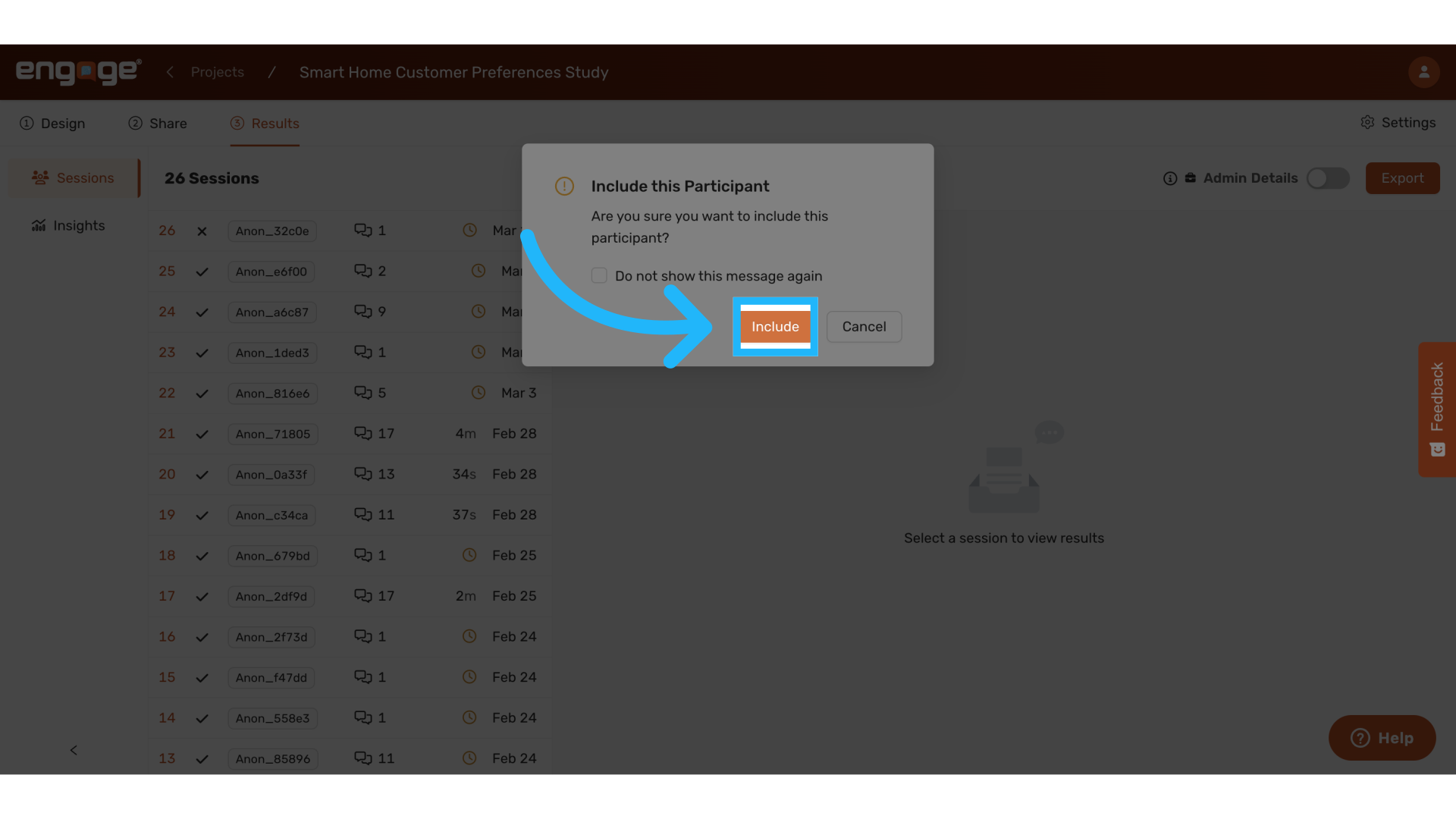
To re-include a participant, select the X-mark.
5. Confirm "Include"
6. Admin Only Features: Fraud Auto Termination & Hide Session
Administrators have access to specialized security features to manage suspicious participant activity:
Fraud Auto Termination
- Automatically ends sessions when fraudulent activity is detected
- Excludes terminated sessions from your results
- Removes terminated sessions from your sessions view
Hide Session
- Conceals flagged sessions from your sessions page (complementing the exclusion feature)
- Provides cleaner data visualization by removing suspicious entries
For implementation assistance or additional information about these administrative security features, please contact our support team.
Thank you for watching. If you have any other questions, please feel free to reach out to our support team or access our other guides.
Comments
0 comments
Please sign in to leave a comment.