
Welcome to our guide on how to access and review data from interview sessions between Engage and participants.
Login to Engage
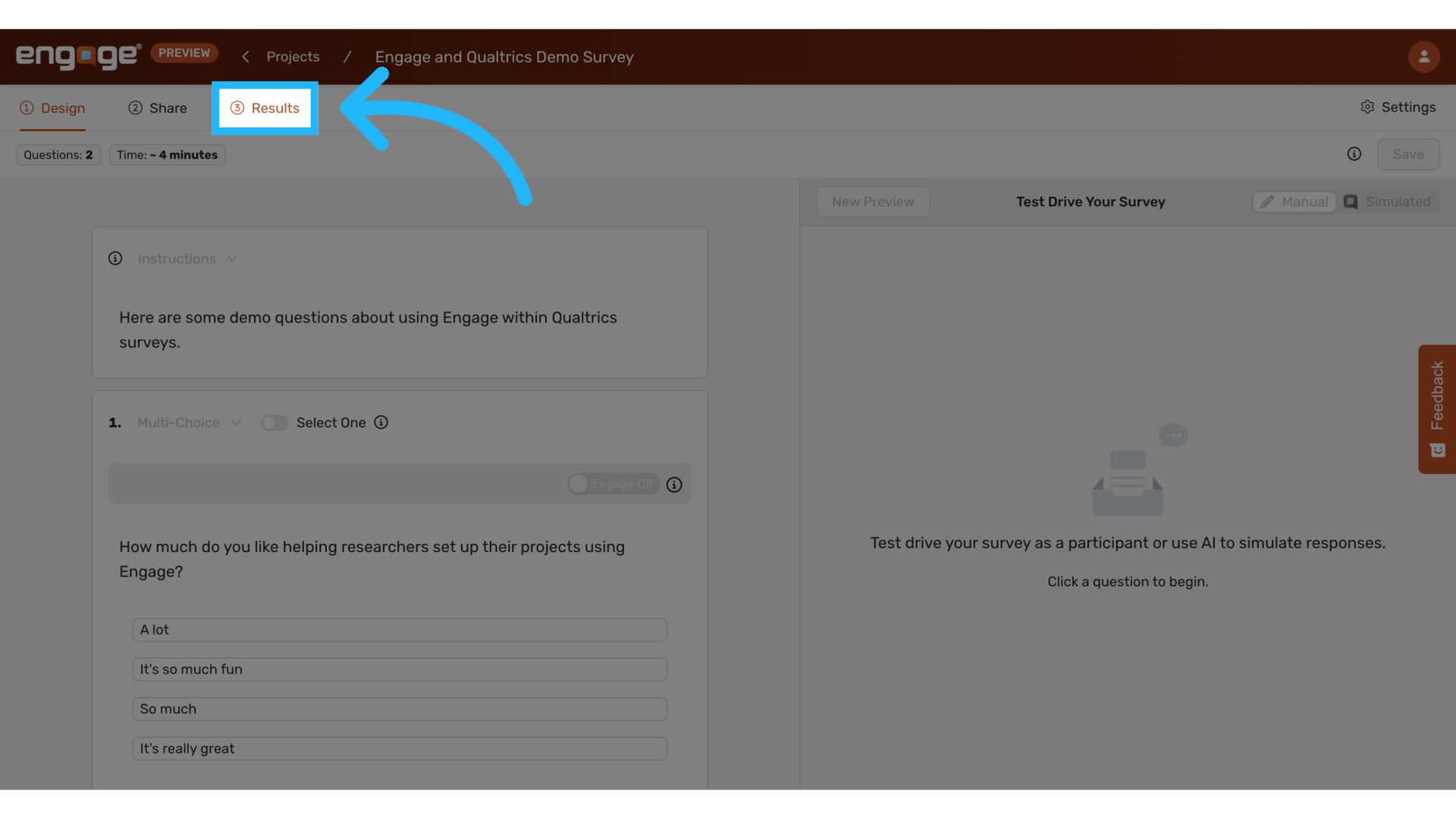
1. Locate "Results"
Navigate to the "Results" tab to start analyzing the data collected from your sessions.
2. Click on "Sessions"
Click on the "Sessions" tab to view specific session details.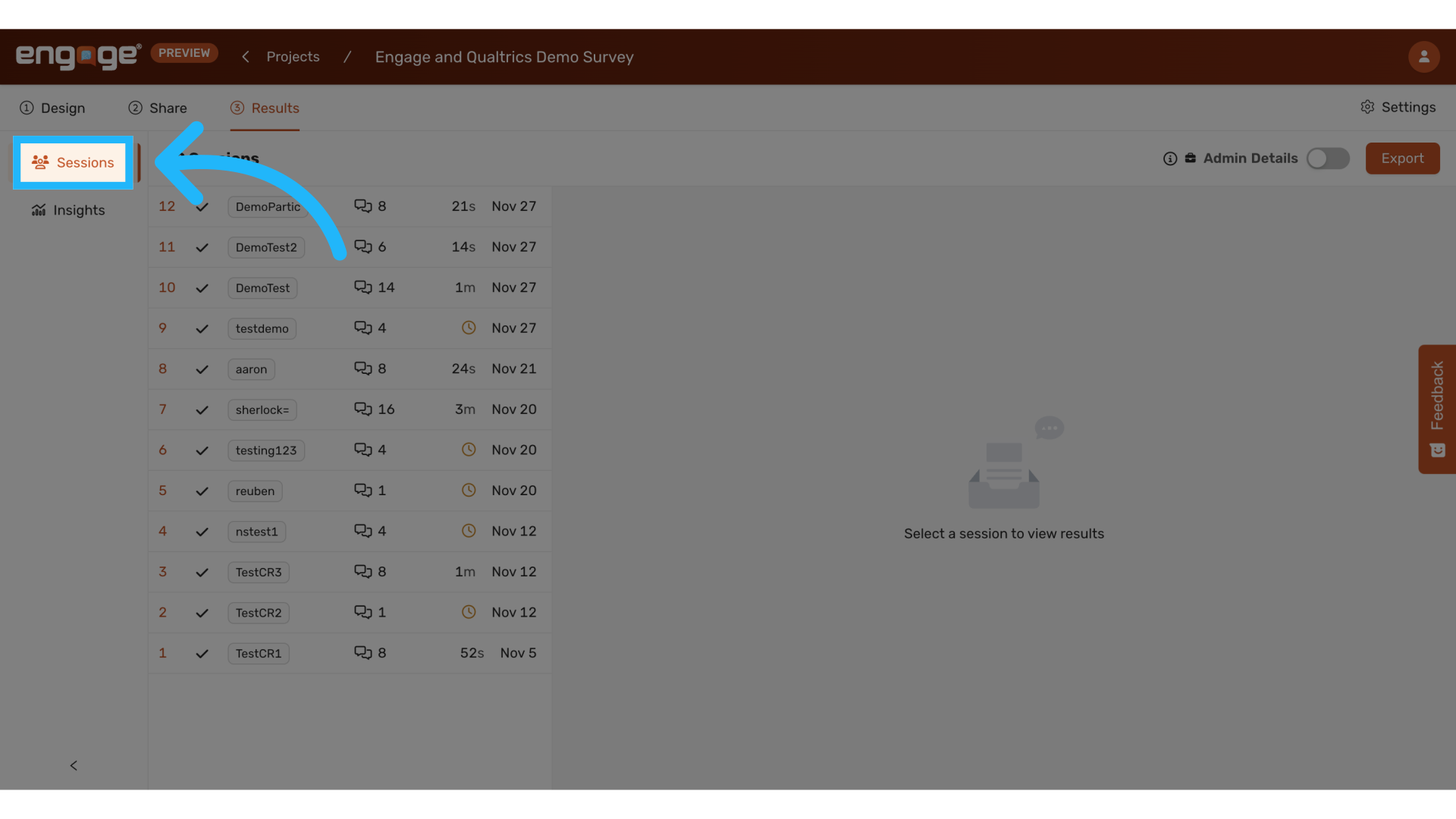
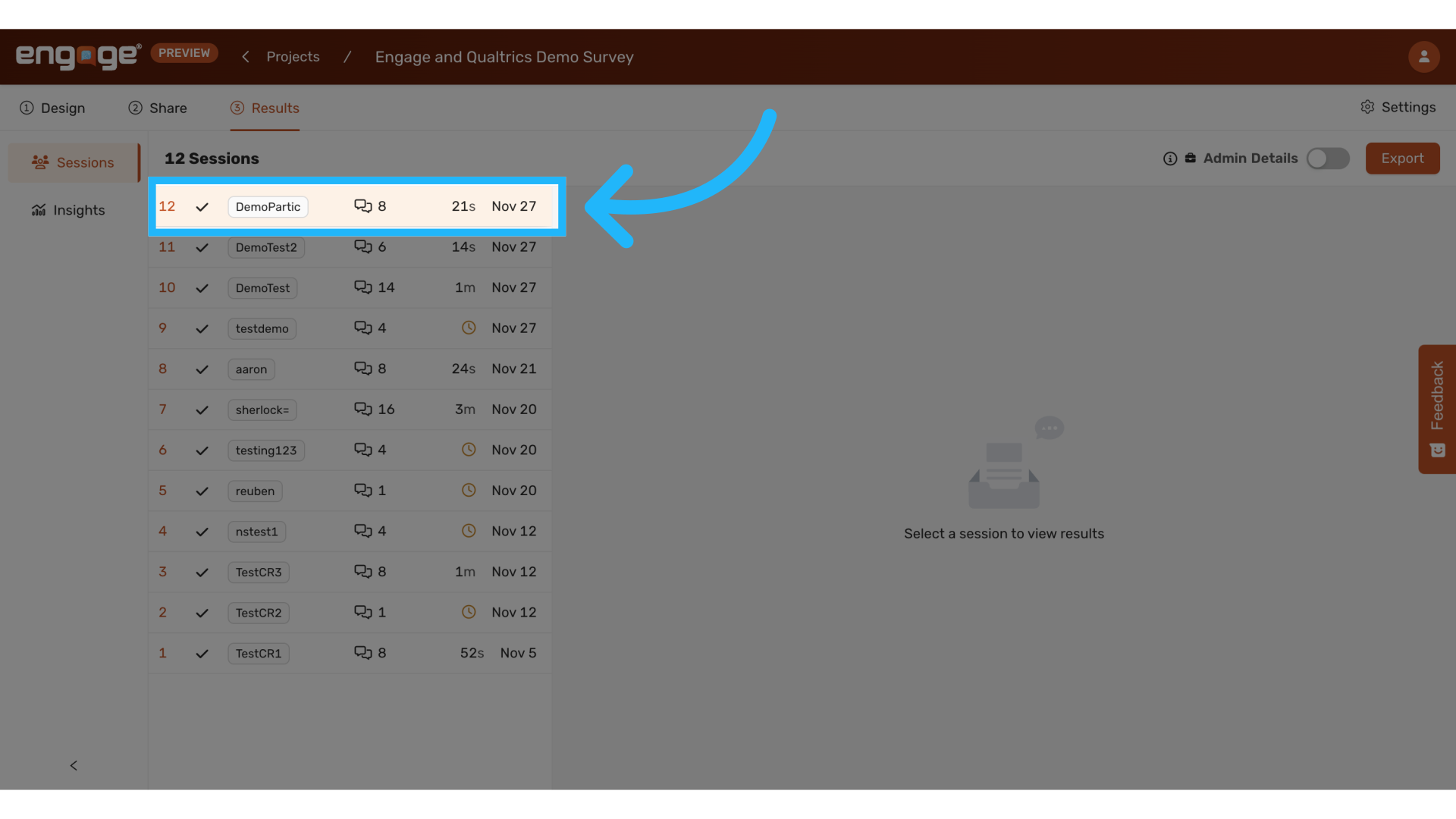
3. Select a Session
Choose a particular session to view detailed interactions.
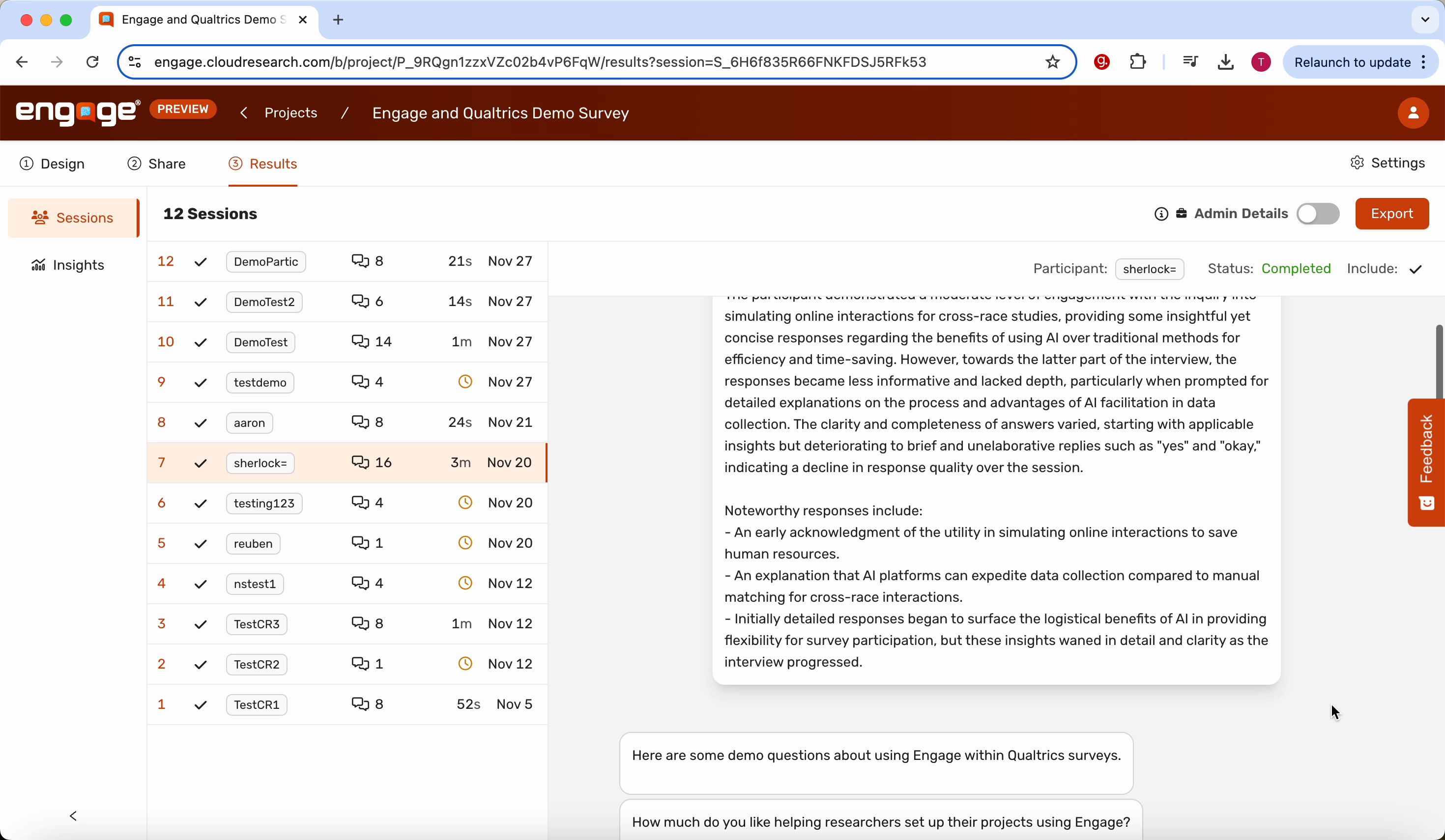
4. Read the Session Transcript
Scroll through the session transcript to review the conversation details.
5. View and/or Copy Participant ID
View or copy the participant ID for further reference.
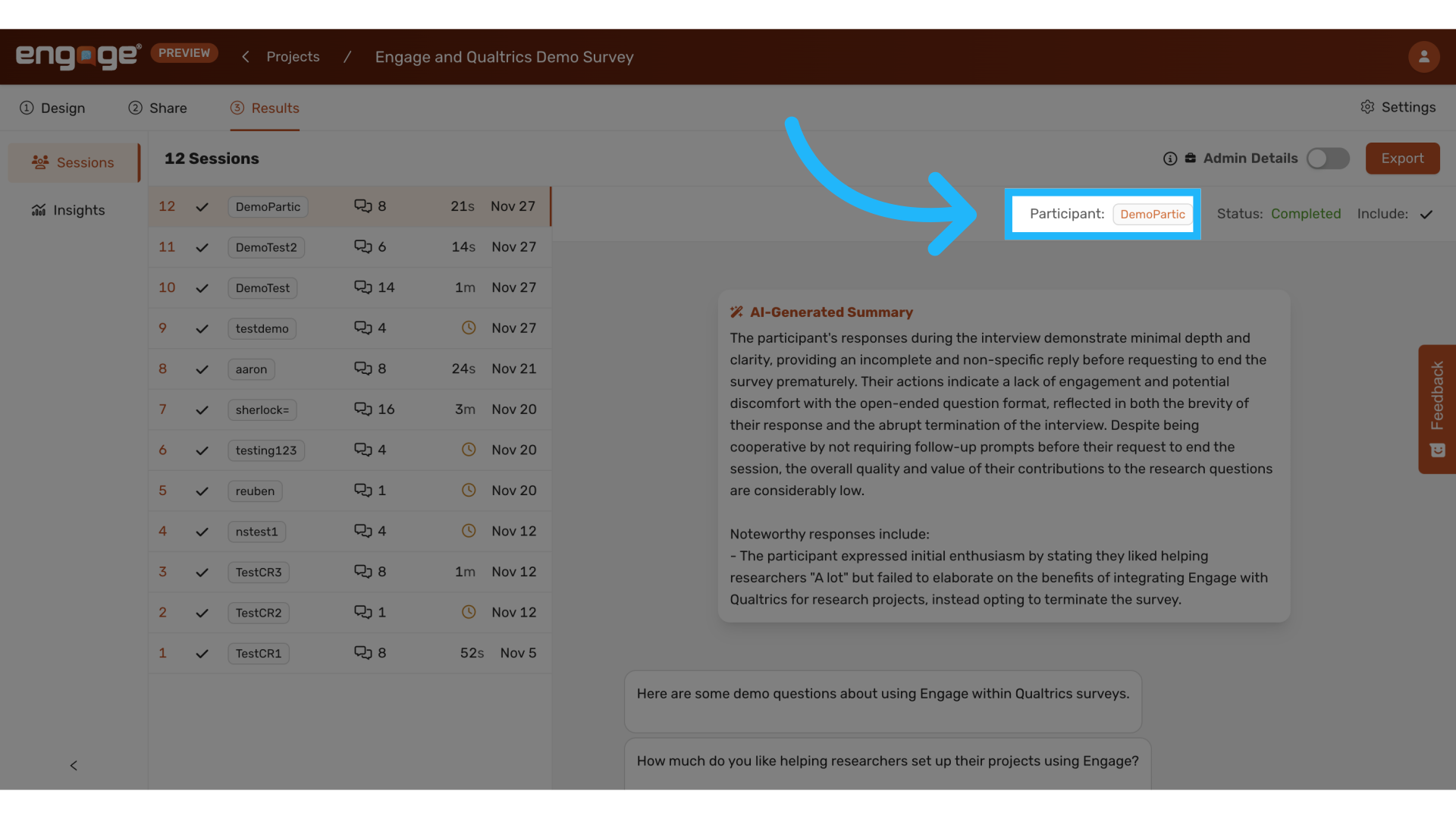
6. View Completion Status of Interview
Check the completion status of the interview to ensure all data is collected.
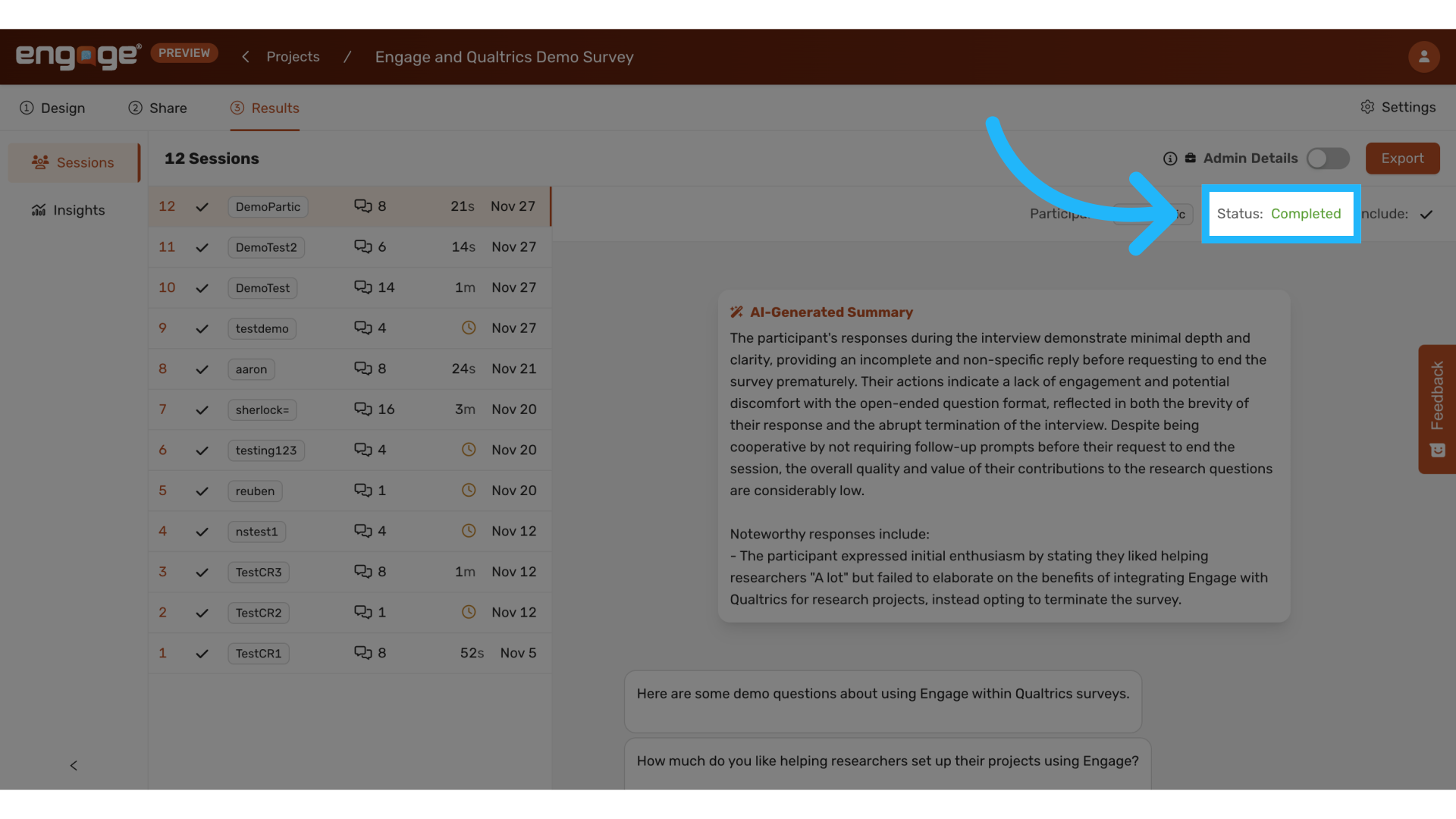
7. Exclude from Analysis
Decide whether you want to exclude sessions from your analysis.
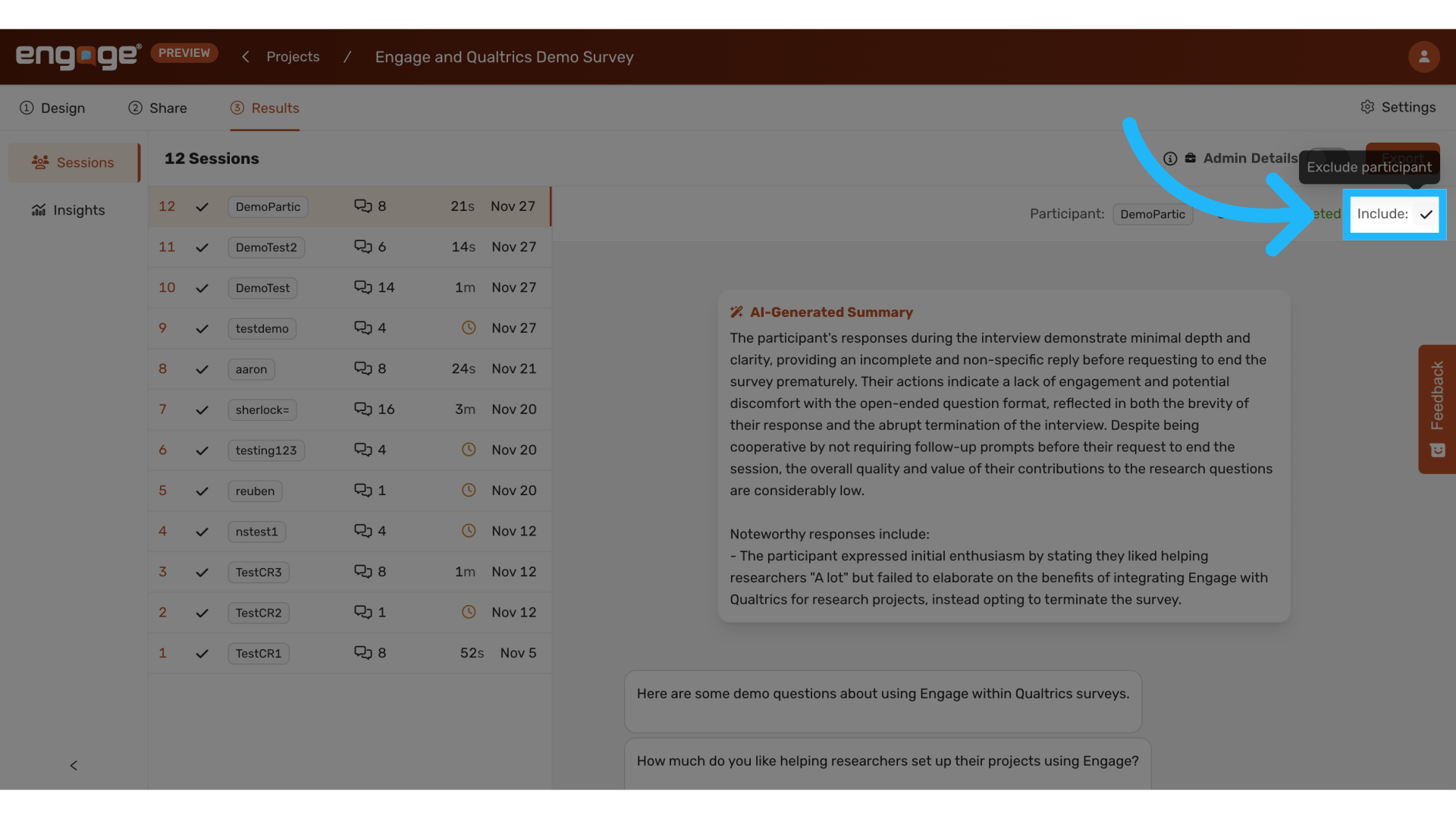
8. Confirm Exclude
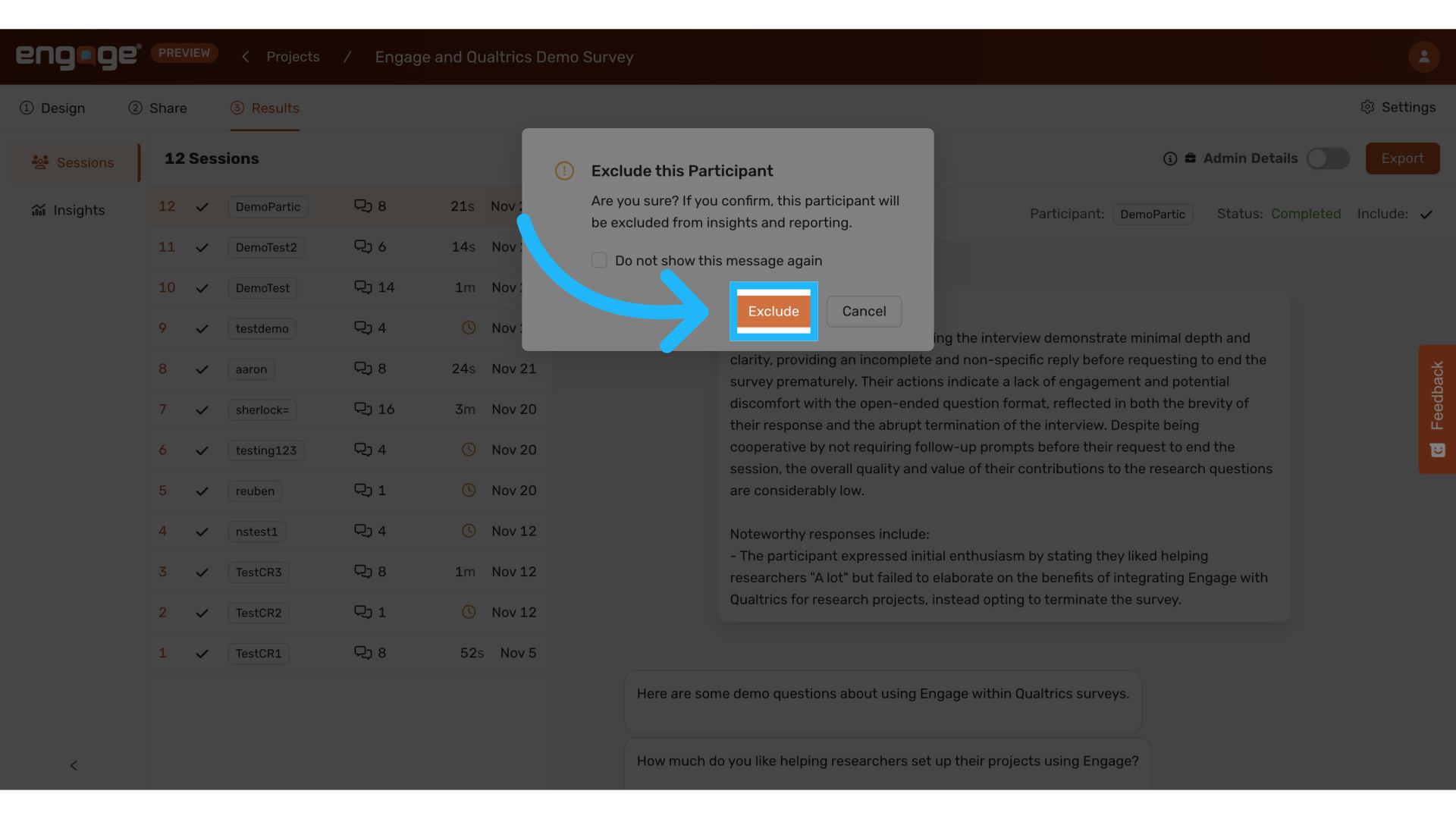
9. Include in Analysis
Re-include the sessions in your analysis.
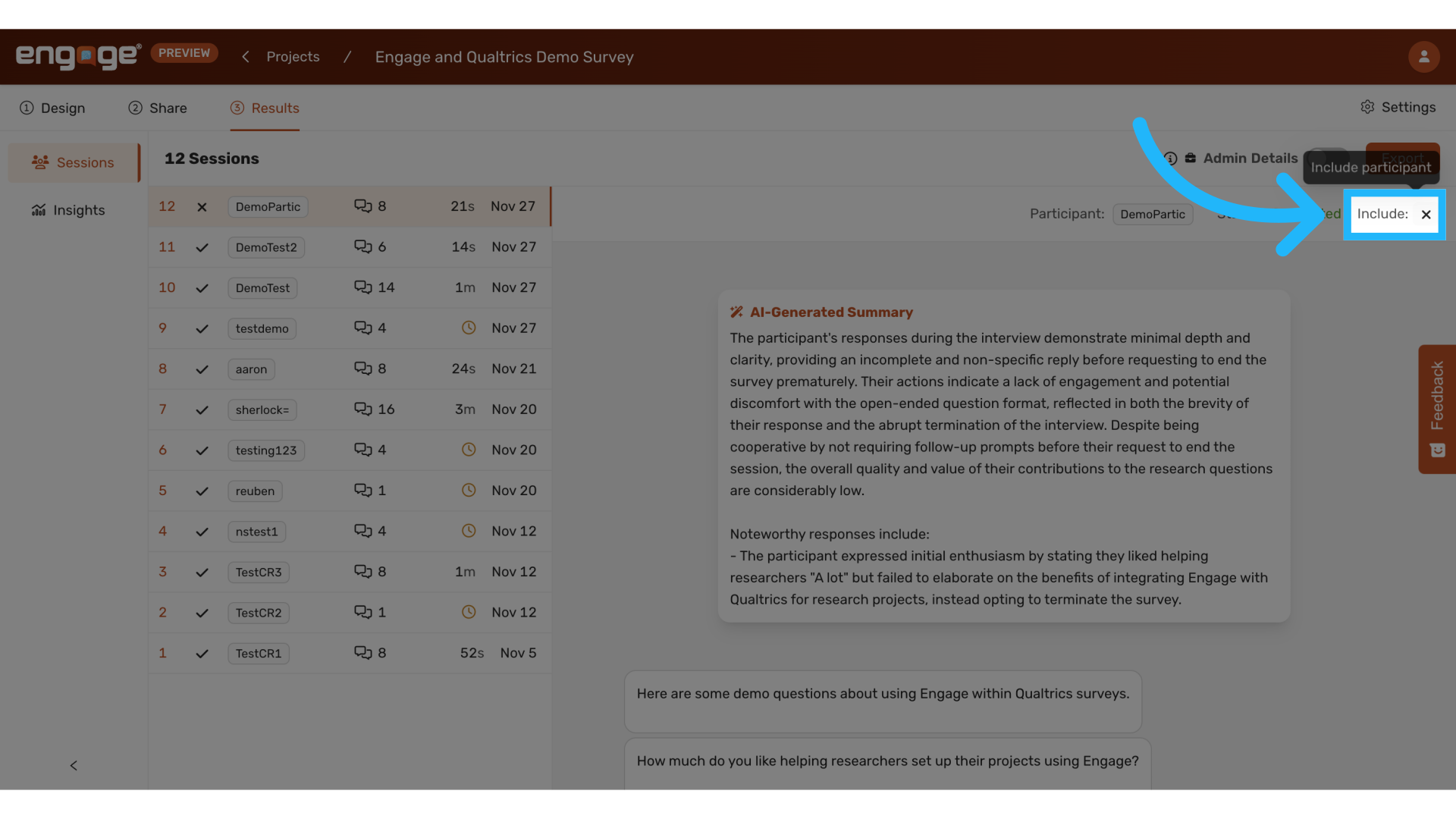
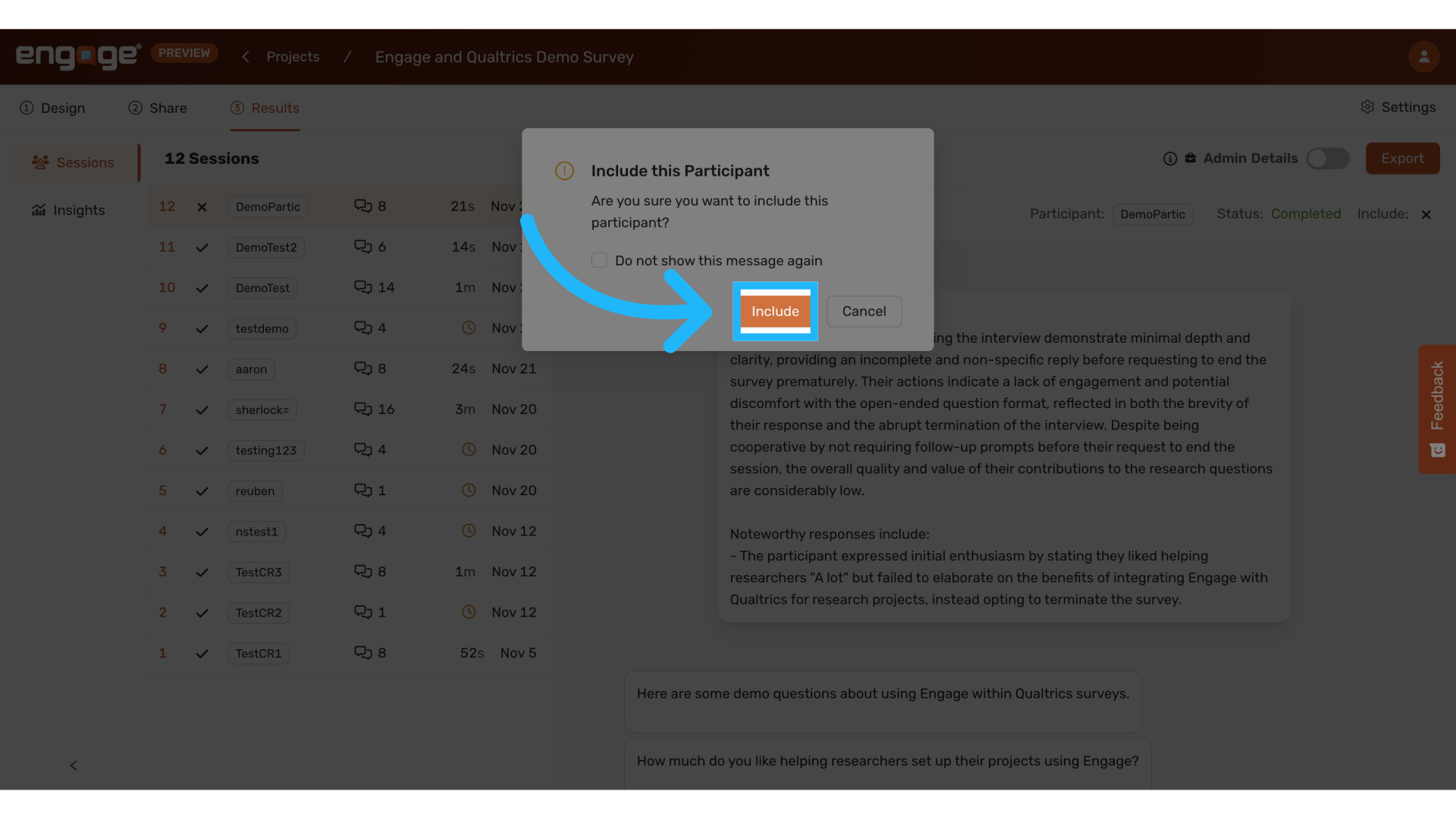
10. Confirm Include
11. View Session Summary
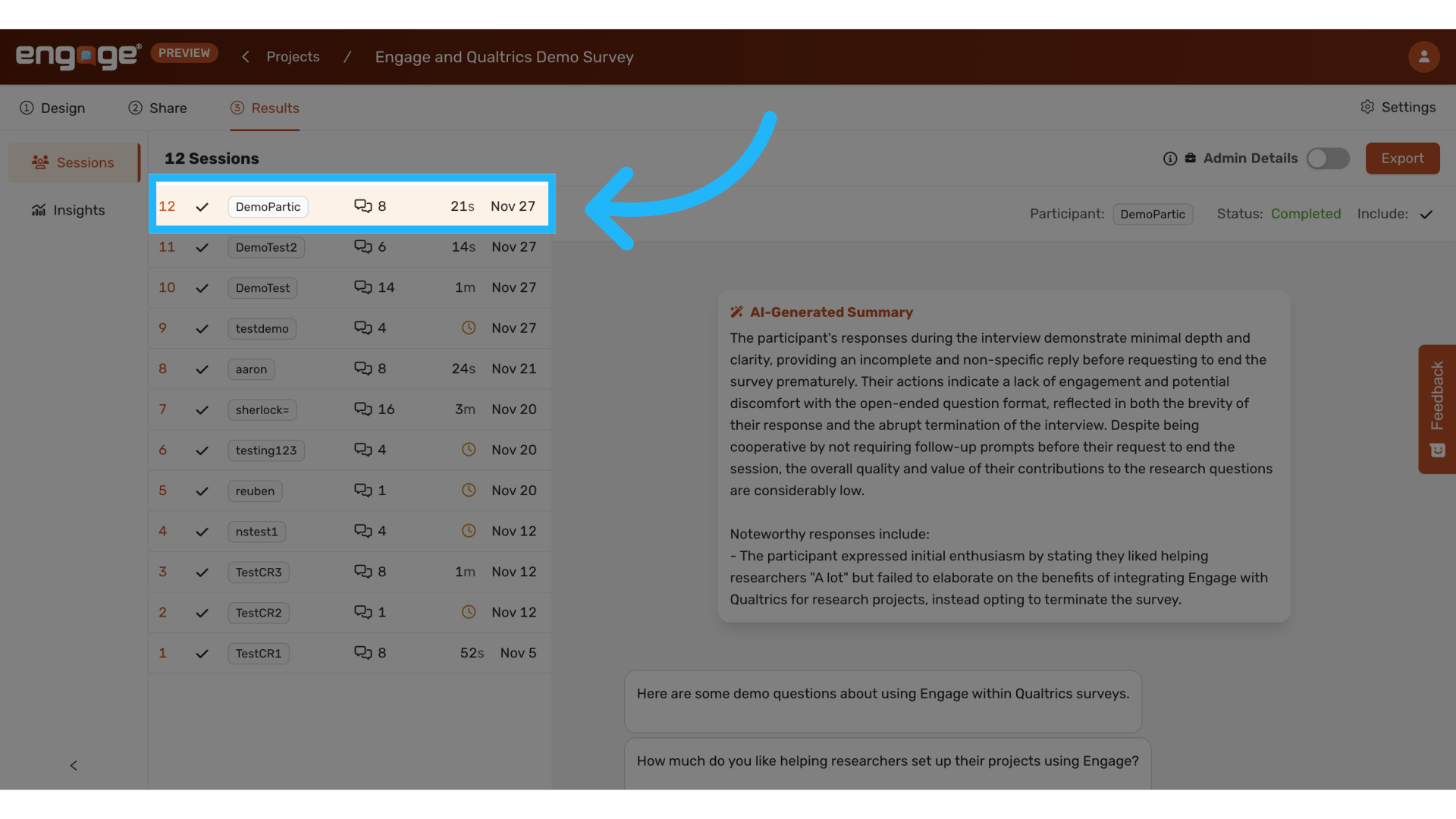
12. View Include/Exclude Status
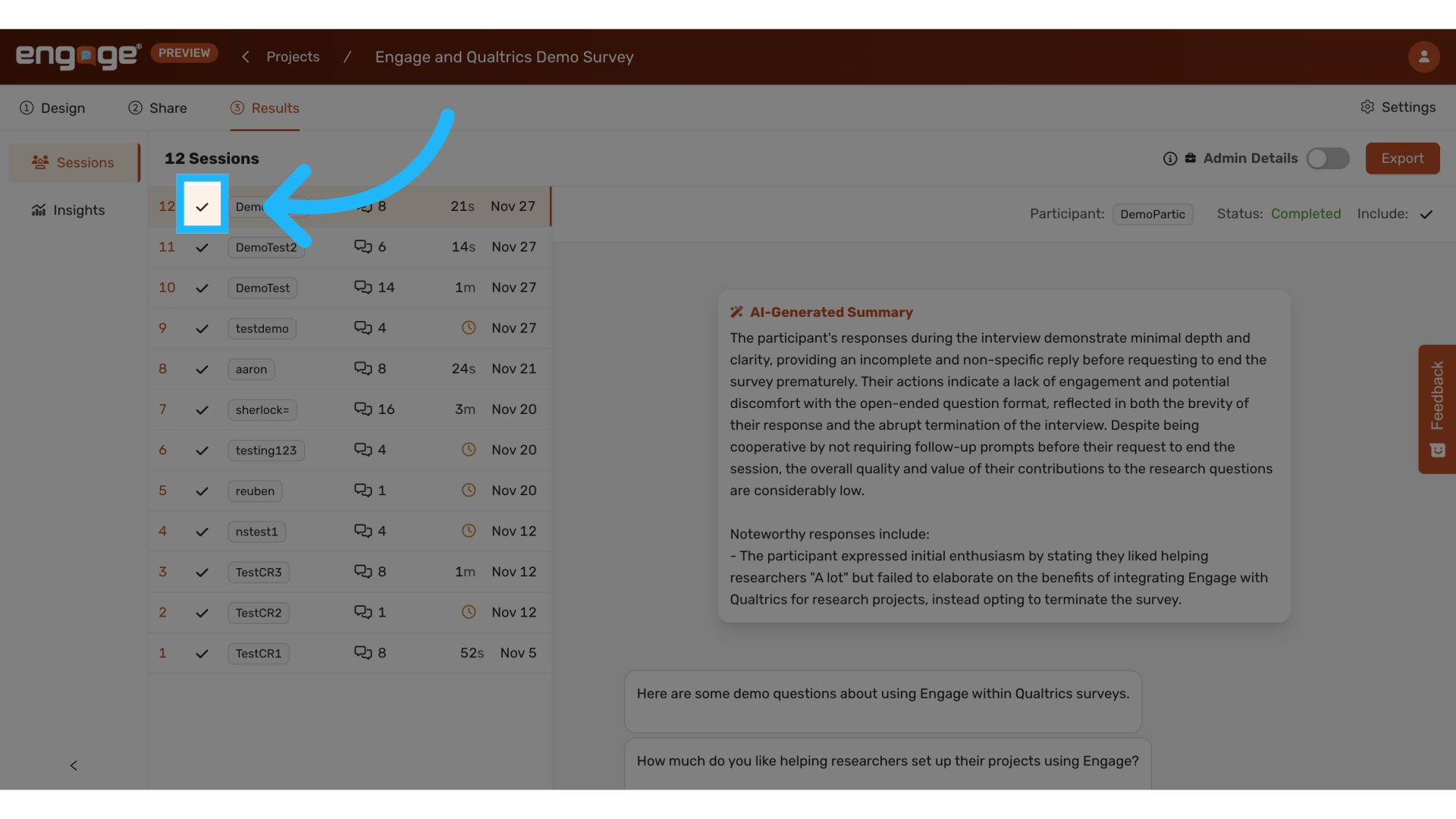
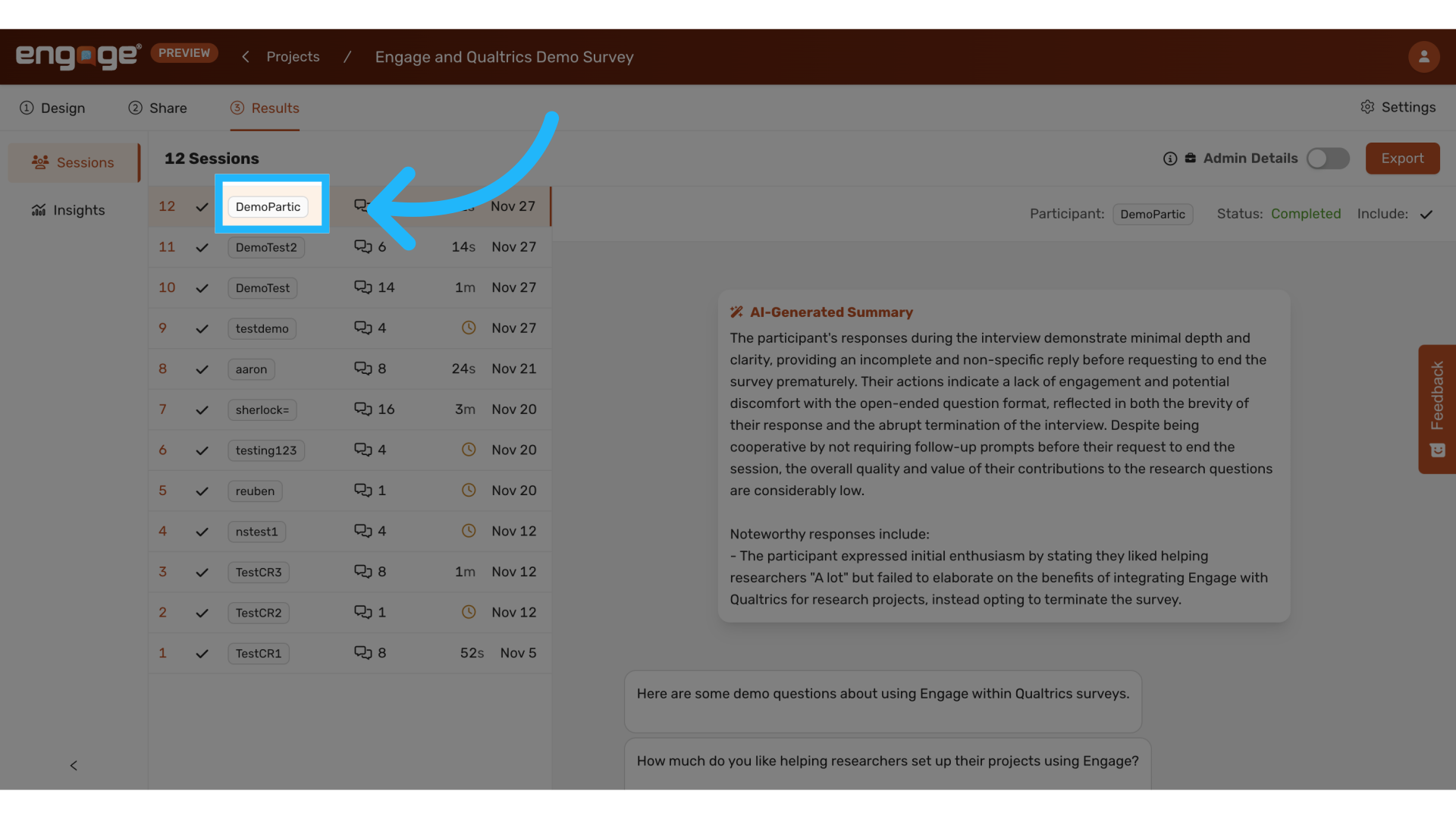
13. View and/or Copy Participant ID
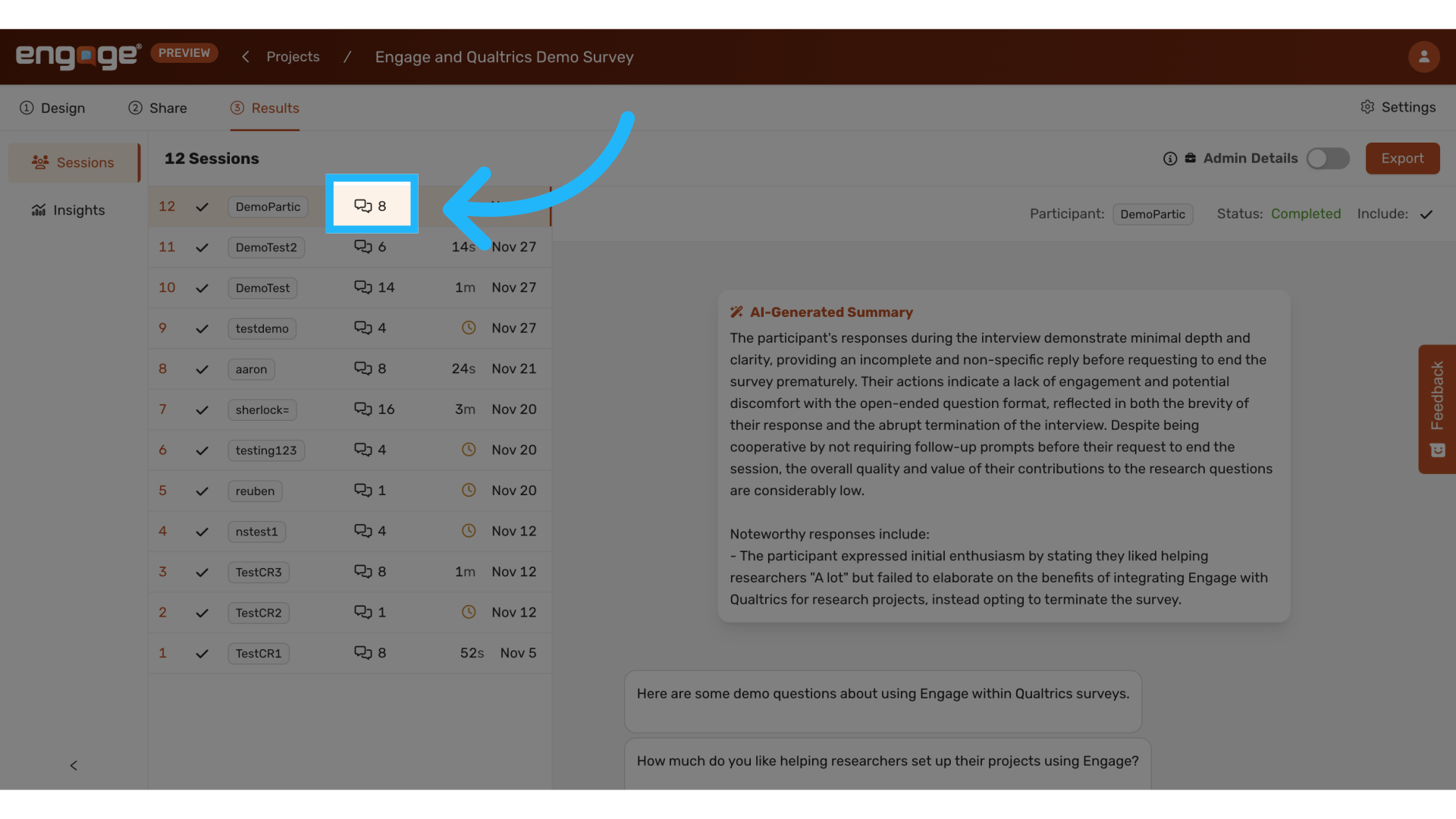
14. View Number of Conversations Within the Interview
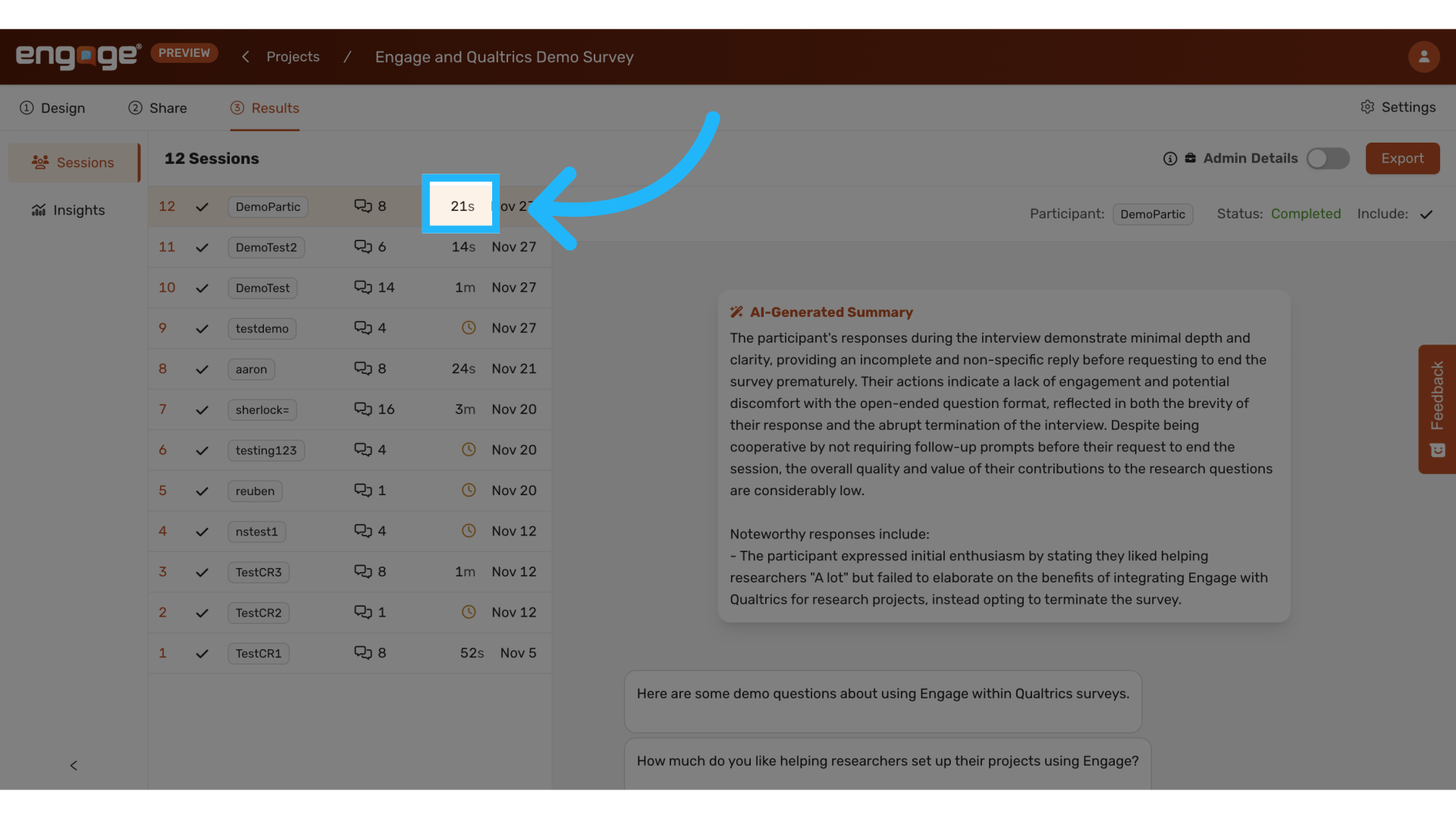
15. View Length of Interview
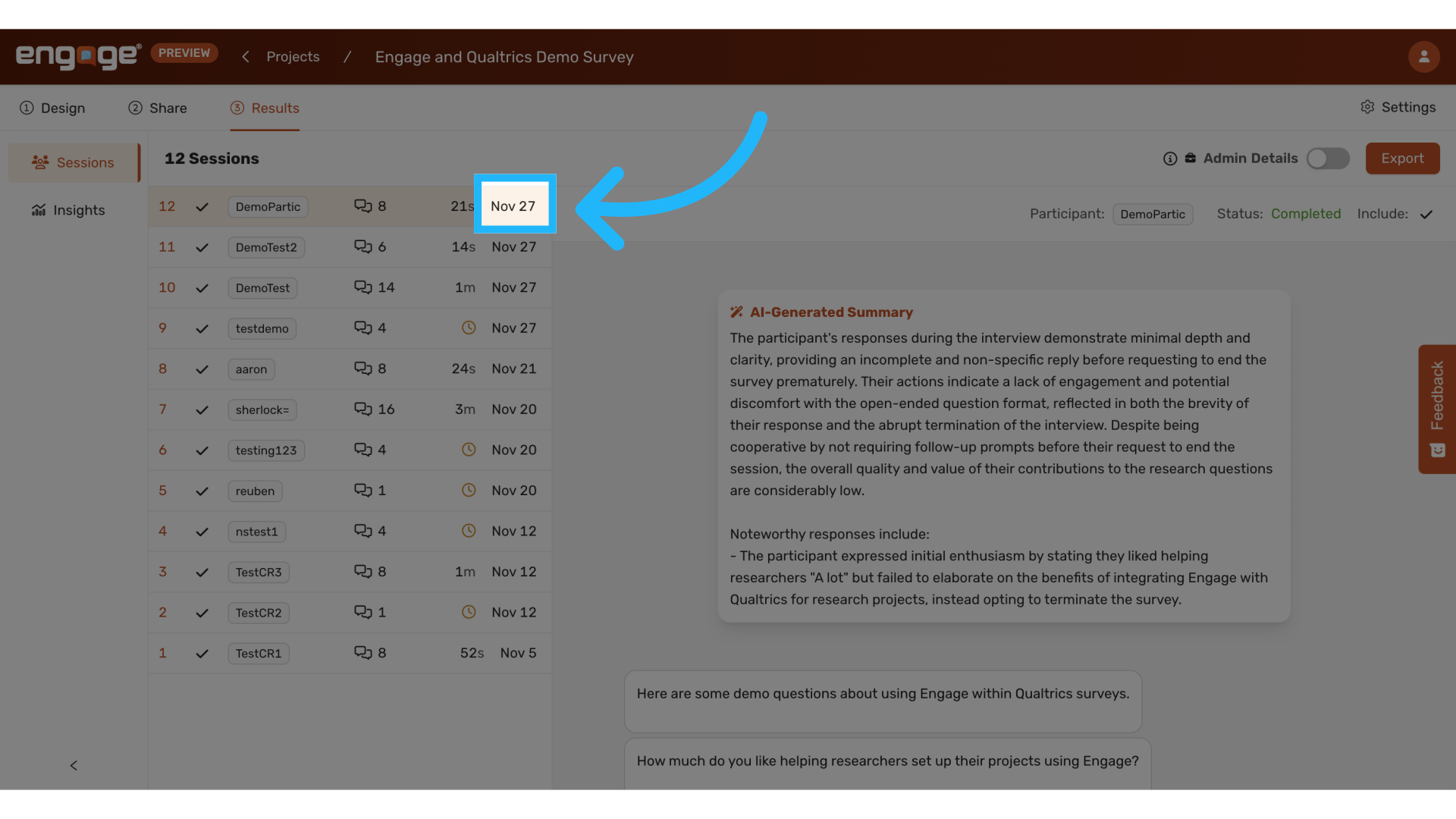
16. View Date of Interview
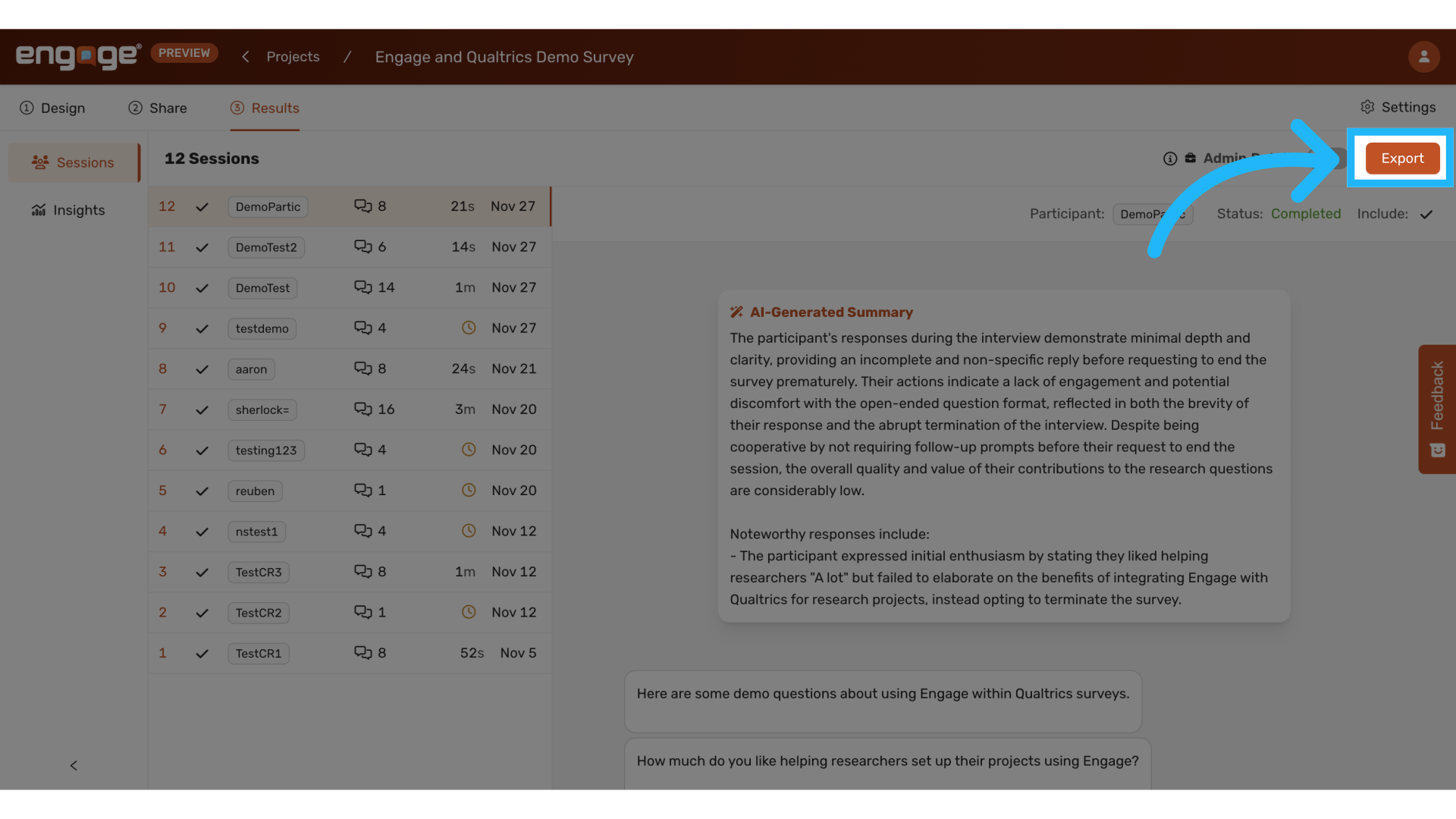
17. Export Sessions Data
For more details, view our guide on Exporting Sessions Data.
Thank you for watching. If you have any other questions, please feel free to reach out to our support team or access our other guides.
Comments
0 comments
Please sign in to leave a comment.