
Welcome to the guide for using AI follow-up instructions in Engage. Follow-ups are smart, in-conversation questions Engage asks based on a participant's response — and the AI assistant writes the logic for them in seconds.
Go to engage.cloudresearch.com
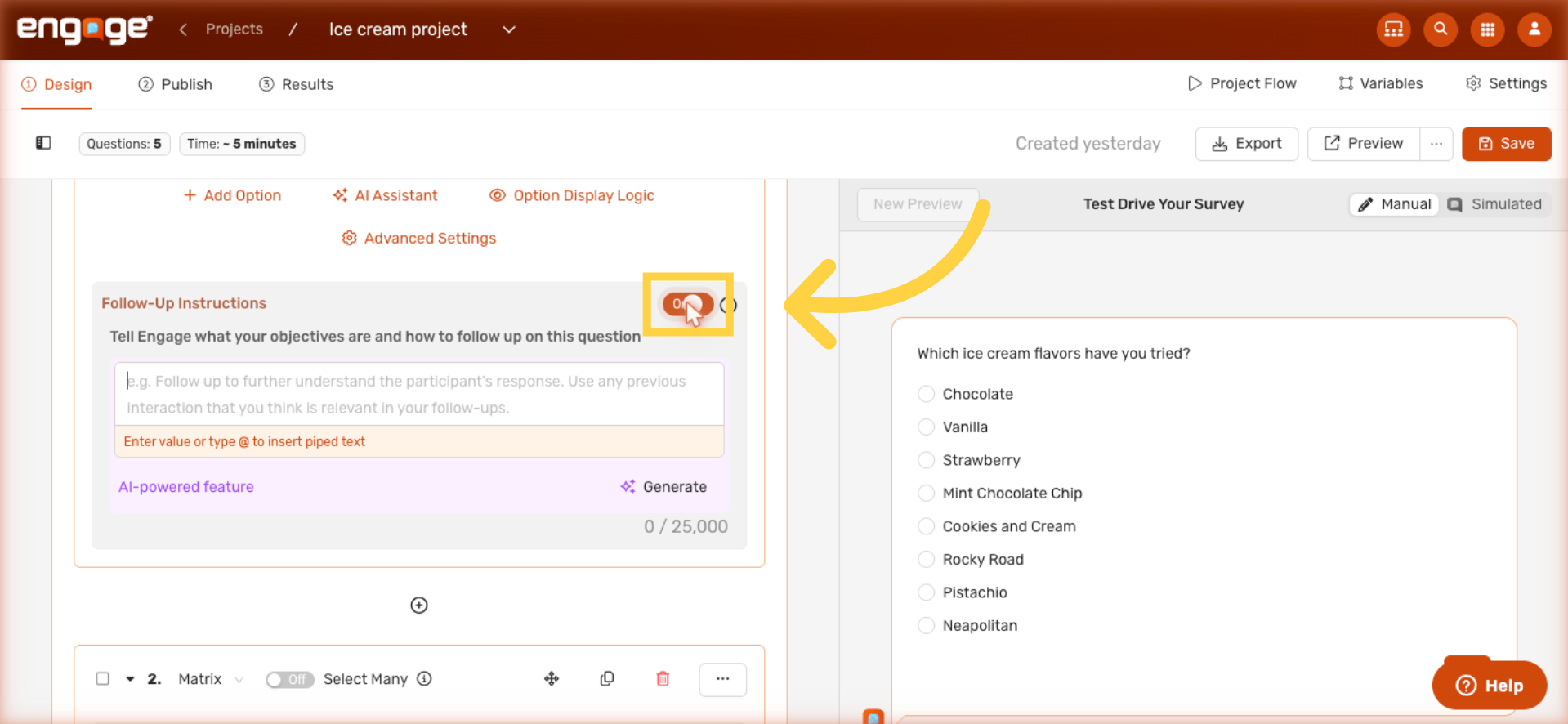
1. Turn On Follow-Up Instructions
Every Engage question has a Follow-Up Instructions section right below it. Toggle Follow-Up Instructions on — and a Generate button appears next to the text field.
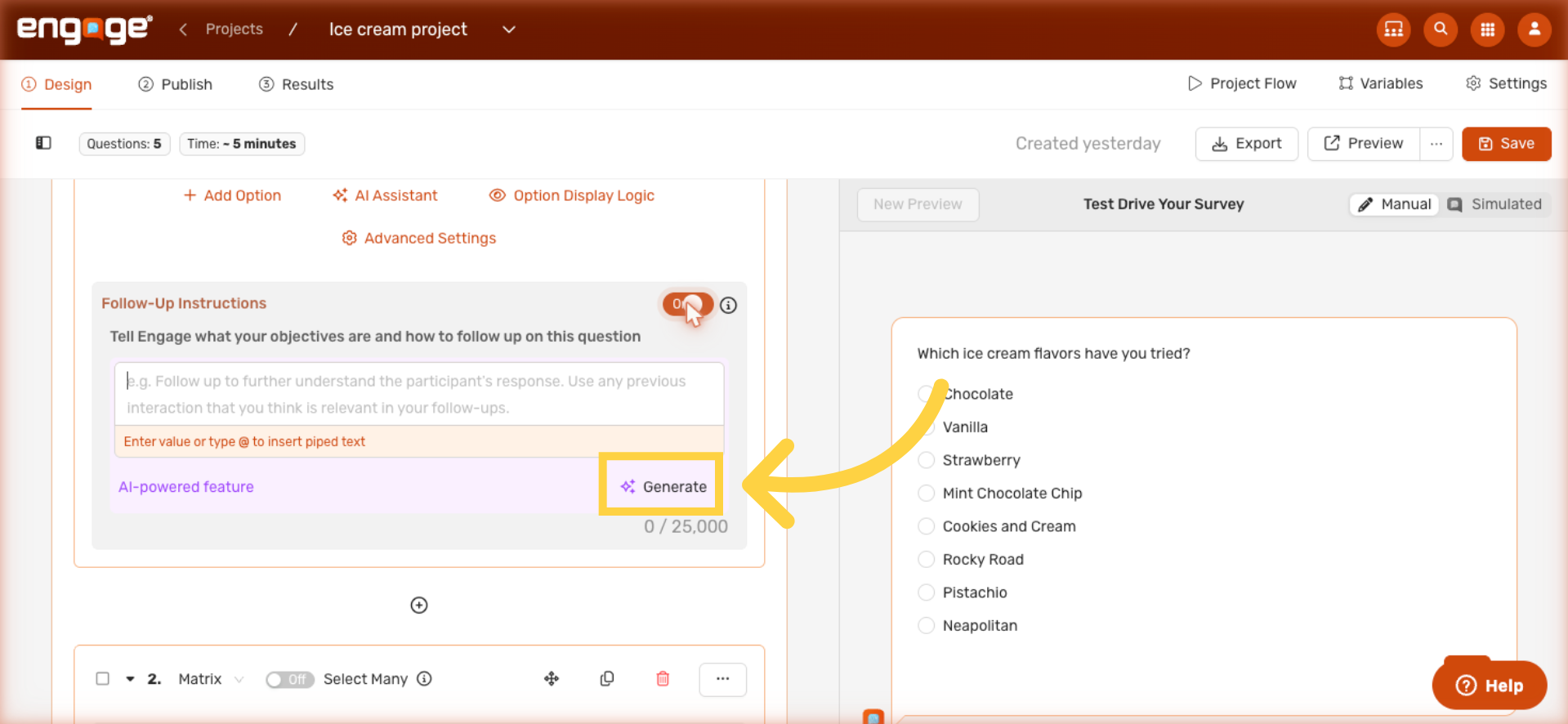
2. Generate with AI
Click Generate and Engage writes the follow-up logic for you in seconds. You don't have to type anything from scratch.
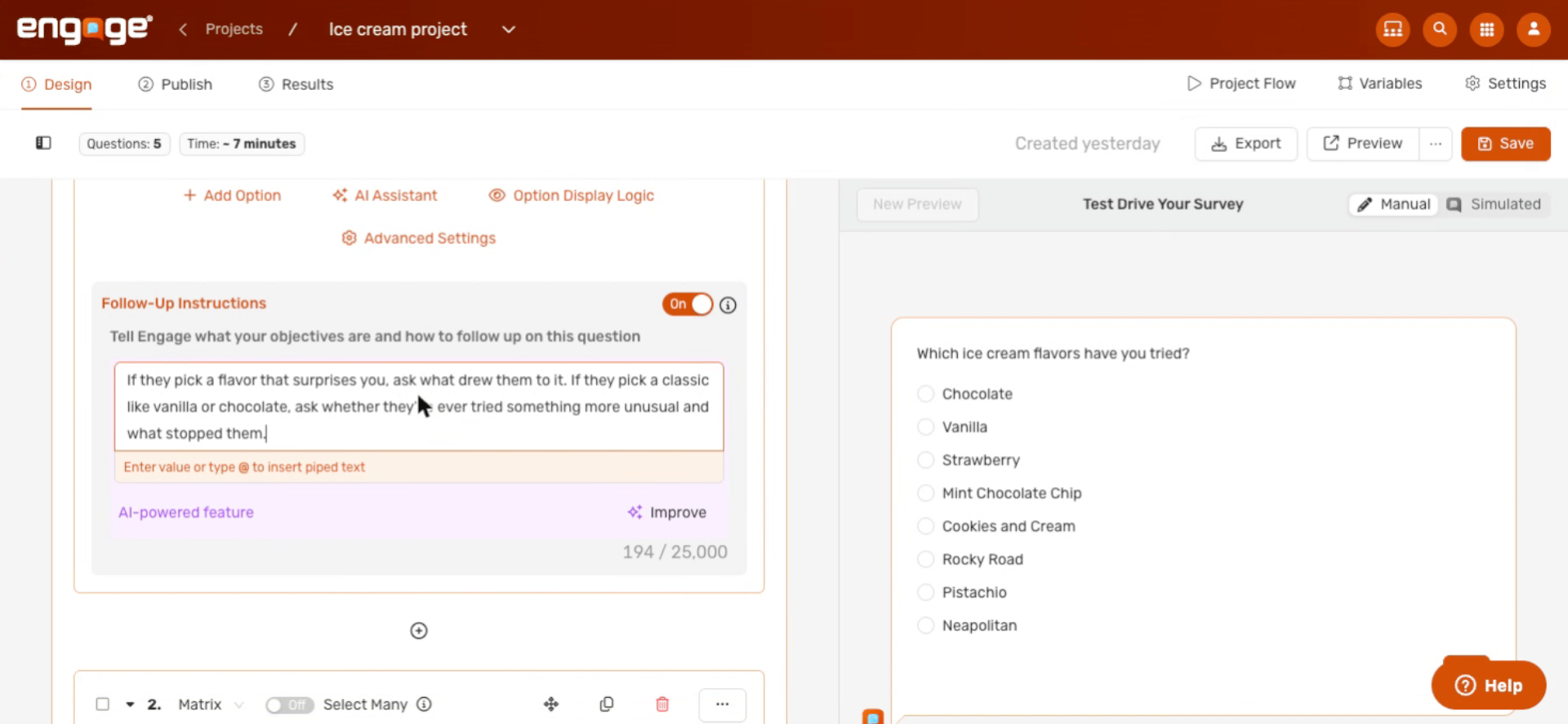
3. Refine with Improve
Once anything is in the field — whether you typed it or Engage generated it — the Generate button becomes Improve. Click Improve any time to refine the wording with AI. Keep clicking Improve until you're happy with the follow-up.
That's it for AI follow-up instructions in Engage. Your follow-ups can now adapt to each participant's response without you spending time writing the logic from scratch. If you have any questions, please reach out to our support team or check out our other guides.
Comments
0 comments
Please sign in to leave a comment.